
Swiggy
- Bundl Technologies Private Limited, doing business as Swiggy, operates as an online food ordering application.
- Founders are Sriharsha Majety,Nandan Reddy and Rahul Jaimin.
- Key people-Sriharsha Majety (CEO),Rahul Bothra (CFO) and Dale Vaz (CTO)
- Swiggy's Senior Vice President Madhusudan Rao will be taking over as CTO after Dale Vaz's exit.
- Headquarters is in Bangalore, Karnataka, India
Services
- 3 Lakh + Patnerships
- 500+ CITIES
- 10 Crore + Deliveries
- 2 Lakh+ Delivery Patners
History
- They started Swiggy with just Rs. 10,000 and Today, Swiggy is India's largest food delivery service, and has raised over $800 million in funding
- In 2011, Sriharsha Majety and Nandan Reddy designed an e-commerce website called Bundl to facilitate courier service and shipping within India.Bundl was halted in 2014 and rebranded to enter the food delivery market.
- Majety and Reddy approached Rahul Jaimini, formerly with Myntra, and founded Swiggy in August 2014
Other Competitors
- There are other several notable startups, such as Foodpanda (later acquired by Ola Cabs), TinyOwl (later acquired by Zomato) and Ola Cafe (later closed) were struggling.
Features and revenue
- In January 2017, Swiggy started its cloud kitchen chain called "The Bowl Company". In November 2017, Swiggy started a kitchen incubator business called Swiggy Access, opening a network of ready-to-occupy kitchens for its restaurant partners.
- In 2019, Swiggy expanded into general product deliveries under the name Swiggy Stores, sourcing items from local stores.
- In September 2019, Swiggy launched the instant pickup/dropoff service Swiggy Go, allowing customers to send document or parcel deliveries.In 2020, it rebranded Swiggy Go as Swiggy Genie.
- During the COVID-19 pandemic, it began doorstep delivery of alcohol in the states of Jharkhand, West Bengal and Odisha.
- In August 2020, Swiggy launched its instant grocery delivery service called Instamart using a network of dark store.In 2021, the company closed Swiggy Stores and expanded its operations under Instamart.
- Swiggy's overall annual revenue stood at $900 million approximately for FY 2023, with overall losses of $545.5 million for the year. Bengaluru-based Swiggy's restaurant food delivery business grew 26% in GMV terms year-on-year for FY 2023 to $2.6 billion.
Swiggy Policies
- Swiggy is offering accident insurance to all delivery partners without charge or an opt-in process to assist them in the event of an injury while delivering on our platform.
- Since 2015, Swiggy has offered insurance to its delivery partners. It currently offers health insurance, personal accident and accidental death coverage, as well as mobile phone damage coverage, in partnership with Reliance General Insurance.
- Swiggy often offers insurance coverage for its delivery partners in the event of accidents or mishaps during deliveries, similar to many other delivery platforms. Depending on the severity of the occurrence and local laws, the details of the compensation may change.
- Swiggy provides best in-class insurance of up to Rs 12 lakhs for you and your family, skills development program for you and your children , easy personal loans, vehicle maintenance support and many more benefits.
Salary Of SWIGGY Delivery Boy
- Per Order – Rs.15 to Rs.90 (Flexible Amount depends on type of orders)
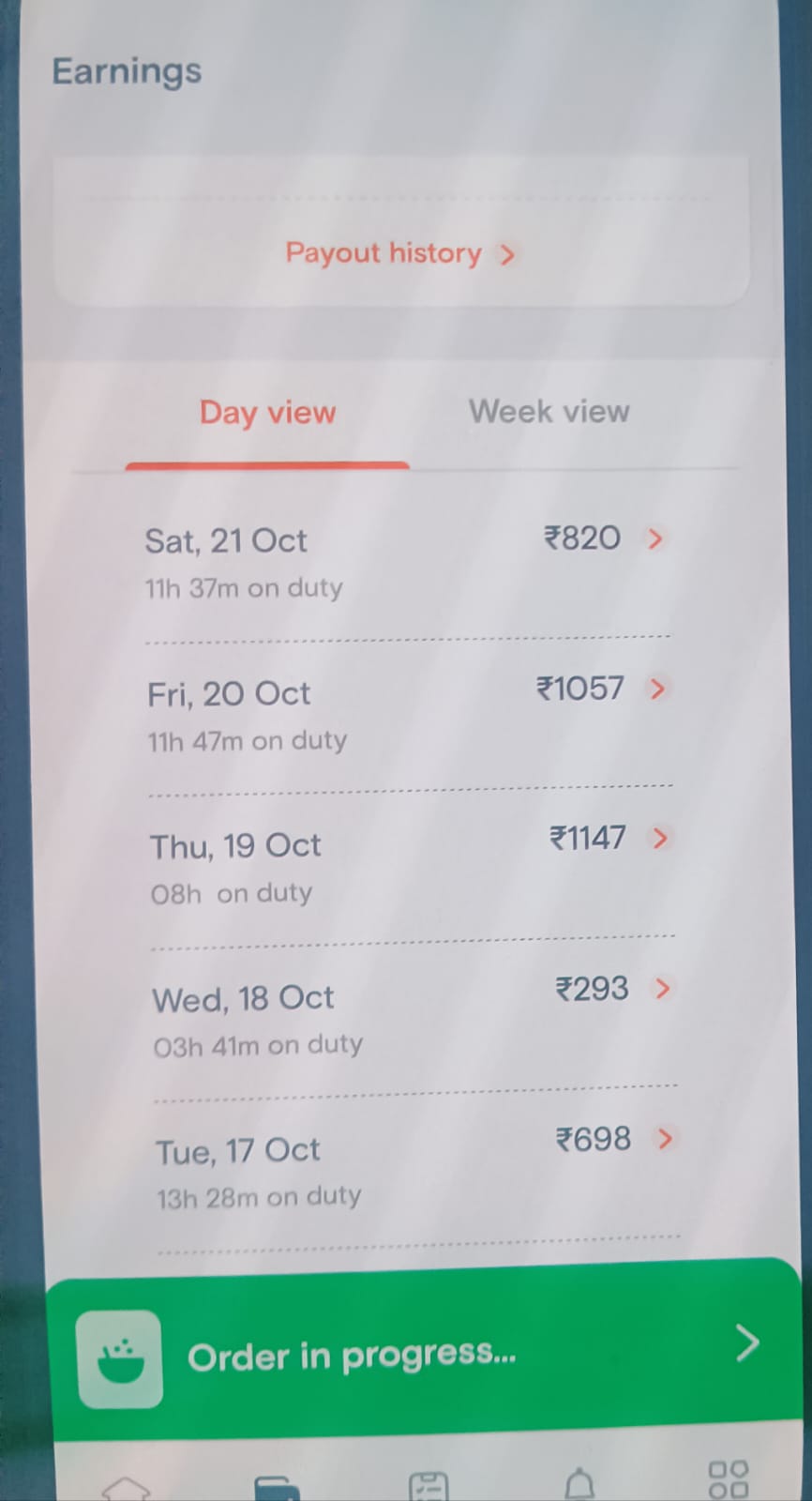
- Day Earning – Rs.200 to Rs.1400
- Weekly Earning – Rs.1500 to Rs.10,000.
- Monthly Earning – Rs.6000 to 35000.
- 14 orders per day on average for a full-time delivery lad.
Documents Required
- Aadhar Card
- PAN Card
- Bank Passbook
- Driving License
- Bike RC (Registration Certificate)
Swiggy’s struggles
- A late entrant With Zomato and Foodpand’s existent and limited success, experts predicted that Swiggy is entering the overcrowded market. UberEats was also on its way to make the mark. The competition was high with brands like Uber and Zomato already in the ring.
- But what separates success from failure is perseverance, resilience, and growth.
Swiggy Challenges.
- Platform expansion challenge
- The first challenge for Swiggy was to convince restaurants to join the platforms against the competitors. That needed a competitive advantage.
- Swiggy’s commitment and investment towards a faster, easier, and proper logistics network with a wide range of local delivery boys keep it apart from others.
- Additionally, the idea of connecting local restaurants with local customers to avoid too much waiting for food was the icing on the cake.
- At that time, Zomato was not interested in expanding its platform – another advantage.
- Soon, Swiggy began expanding its platform with restaurants and delivery boys.
Swiggy funding
- Swiggy started gaining the attraction of big investors because of its skyrocketing growth and revenue.
- By 2015, Swiggy raised $80 million funding in Series E round escorted by Naspers.
- Other Venture Capitals, along with Norwest and existing Swiggy investors, increased the funding to a great extent.
Swiggy stats and facts
- August 2013:Sriharsha Majety and Nathan Reddy Founded Bundl – a company connecting courier companies across India.
- 2014:Bundl Shut Down
- August 2014:Sriharsha, Nathan, and Rahul Jaimini founded Swiggy to connect foodies with local restaurants
- August 2014:Started with six delivery executives and 25 restaurants in Koramangala, Banglore
- Throughout 2015:Partnered with 100+ restaurants, delivering over 70,000 orders per month.
- April 2015:Received its first significant funding of $2 million from a prominent investor named Accel and SAIF partners
- June 2015:Raised $16.5 million in Series B funding by Norwest Venture Partners (NVP)
- January 2016:Raised $35 million in Series C funding from New York-based investors Harmony Partners and Singapore-based RB investments
- March 2016:Swiggy faced 65 times losses by the March-end
- April 2016:Swiggy got down to work on cutting costs and strengthening logistics network
- Throughout 2016:Partnered with third-party logistics players to build a sustainable network.
- Throughout 2017:Swiggy invested in core engineering, automation, data sciences, machine learning, and personalization to understand customers’ need of the hour.
- May 2017:Raised $80 million, one of its most significant fundraisings in Series E by South African Internet and media conglomerate Naspers
- By December 2017:Swiggy reached 10+ cities, tied-up with over 20,000 restaurants, and accounted for 4+ million transactions per month
- August 2018:Swiggy acquired Scootsy to diversify its business in categories other than food like groceries, fashion items, stationery, etc.
- September 2019:Swiggy clocks around 1.4 million orders per day, connected with 45000 agents, partnered with 1,30,000 + restaurants and has a presence in 325+ cities of India
How Swiggy Works?
Customer Segments
- People who love to eat food from their favorite restaurants but want to get it delivered at home
- People who want to get emergency items delivered at their doorsteps like groceries, stationery, etc.
Value Proposition
- Fast Delivery: within 1 hour or less
- Quick Access: users must get items delivered with one click
- Design: an easy to navigate the app
- Reliability: customers' trust and confidence in the brand for their need of the moment.
- Push Notifications
- Email Marketing
- Social Media Marketing
- Offering deals and discounts on special events
- Continuously improves in customer engagement and satisfaction
Cost Structure
1. Fixed Cost
- Payments and Incentives to Delivery Partners
- Salary to Employees
- IT-Development Cost
- Advertising and Marketing Cost
2. Variable Cost
- Acquisition of Various Companies
- Transportation
- Returns and Refunds
Revenue Streams
- Advertising
- Commission
- Delivery Charges
- Affiliate Income
Swiggy Commisions
- New partners to Swiggy can receive 0% commission with Swiggy Launchpad.
- On average, Swiggy's platform has over 2.5 lakh restaurant partners active, and on average, 10,000 eateries are added each month.
- Up until the first month, this promotion is valid for all partners who are new to the Swiggy platform.There is no charge for the commission.
- For each order placed through its platform, Swiggy charges eateries 15% to 20%.
- You are required to pay a commission on the sales they bring in for your restaurant.
- The standard commission rate is 15–22% plus GST. Delivery and payment gateway fees are not included.
- Lately They charge restaurants commissions or fees that range from 22% to 28% in order to make money. Due of the high commission, a delivery menu was introduced.
Key Resources
- Local Food Delivery Boys
- Connection with Restaurants and Stores
- An Easy-to-Use Mobile App
- Large Database of Customers and Restaurants
Channels
- Mobile Application
- Website
Key Activities
- App Maintenance
- Seasonal Promotion and Advertising
- Growth in diversifying business beyond food and reaching to daily items.
Swiggy app working
- Users sign up for Swiggy mobile app and become customers
- Customers open the app, select the restaurant, and order the food
- The app confirms the delivery location
- The restaurant receives the order and confirms it
- Local delivery boy confirms the pick-up and drop location of the order
- Customers receive the notification showcasing the confirmation of the order and the person who will deliver the order
- Customers track the entire journey from mobile app starting from the order confirmation to the moment order gets delivered. They can also track the delivery boy’s location.
- Swiggy marks your ordered completed, once delivered
- After the order completion, Swiggy app asks customer’s reviews and ratings on food, taste, and delivery service.
Business Model Of Swiggy
- Swiggy business model is based on the hyperlocal on-demand food delivery business operation, intending to deliver food within 30 minutes.
- Swiggy bridged the gap between food lovers and restaurants by utilizing cutting-edge technology and idea.
1. Customer Segment:
- Swiggy has a large following because anyone can use the food platform’s mobile app or website to operate it.
- Urban foodies use the application to place online orders for food from nearby restaurants.
- Swiggy likewise shows bug menus of cafés on its applications with the goal that foodies can browse a wide assortment. Due to adding a new customer type, the platform has seen an increase in users.
2. Propositions of Value:
- Swiggy is a food delivery app specializing in delivering food with no minimum order requirement and effective online payment options like PhonePe, Paytm, Freecharge, Debit and Credit Cards, Mobikwik, Sodexo Meal, Zeta Food Card & Ticket Restaurants Meal, Cash-On-Delivery, LazyPay.
- The app aims to deliver food or essential items within 30-40 minutes. Swiggy created a user-friendly mobile application to gain customers’ trust and confidence.
3. Relationships with Customers:
- Swiggy is well-known for promoting round-the-clock customer service as it operates through its online platforms.
- Recently, we have all witnessed customers receiving refunds when dissatisfied with the food or service.
- It has thrived by maintaining a positive relationship with issues and
- services for its customers.
4. Essential Resources:
The primary resources of the platform are:
- Local Food Delivery Boys
- Connections to Retailers and Restaurants
- An Easy-to-Use Mobile Application
- A Vast Database of Retailers and Customers
5. Important Actions:
The primary functions of the platform are:
- Managing partnerships with retail establishments, restaurants, and eateries.
- Managing partners in delivery.
- Management of orders, technical operations, and online platforms.
- Promoting and securing clients.
- Management of payment procedures and customer service issues.
6. Crucial Partners:
The primary partners of the food platform are:
- Retail Stores And Restaurants
- The great key accomplices of Swiggy are the cafés and shops, which record on the application, and these are the stores that wish to convey their food to the doorstep of individuals, the critical accomplices of Swiggy like McDonald’s, Burger Ruler and some more.
- Providers of Delivery
- Food delivery suppliers are called delivery suppliers.
- They can be full-time, part-time or consultants who work to bring in some additional cash.
7. Cost Structure:
The costs of food platforms are as follows:
- payroll costs associated with the application and website maintenance
- Charges for administration and maintenance
- Expenses for Marketing and Advertising, for example, returns, refunds, and other costs associated with disputes
- Revenue Model: Facility setup resembling a kitchen base.
How Swiggy makes money?
- Swiggy’s idea to connect local foodies with local restaurants gave the brand advantage of an early mover.
- But the brand relies on restaurants and local delivery personnel to grow the business.
- And the company has to pay incentives to local delivery boys to keep the business going.
- So Swiggy’s revenue stream comes from different, multiple sources.
Commissions
- Swiggy charges 15-25% commission on total order bill (inclusive of Goods and Service Tax) from restaurants till 2022.
- Lately They charge restaurants commissions or fees that range from 22% to 28% in order to make money. Due of the high commission, a delivery menu was introduced.
- The percentage of the commission depends on various factors like the number of orders, location of the restaurant, the commission charged by competitors, etc.
Delivery charges
- Swiggy doesn’t follow any minimum order model.This makes Swiggy way more smarter.
- It can deliver food for even less than Rs.100/- only
- Instead of being a hurdle, it’s the most significant advantage for Swiggy as the app often receives an order value of less than Rs. 100/- for which Swiggy applies delivery charges.
- Delivery charges rotate around Rs.10-20/- for orders less than Rs.250/-. Swiggy increases its delivery charges in times of high demand, rains, special occasions, or midnight delivery.
- If customers need emergency food at midnight, they have to pay a little bit higher, or customers prefer to order on time to avoid paying high. Either way, Swiggy wins.
Advertising
- Swiggy follows two advertising revenue models simultaneously: Banner Promotions and Priority Restaurant listing.
- Swiggy started displaying and promoting banners of available restaurants based on regions and rates.
- Swiggy charges premium from restaurants in exchange for displaying their banners in its app.
Affiliate income
- Swiggy offers credit cards as well from where it generates income as an affiliate.
- The food-service brand has partnered financial biggies, including American Express, Citibank, ICICI Bank, HSBC, etc.
Other income sources
- Swiggy keeps expanding its revenue sources along with its growth.
- It has started Swiggy Access allowing restaurants to set up kitchens at locations where they can’t reach. For this, restaurants pay higher than average commissions.
- Swiggy added another source via Swiggy Super, a membership program for regular customers. It offers unlimited free delivery for orders above Rs. 99/-
Swiggy Super
- Swiggy Super, a customer membership program, was recently launched by Swiggy.
- There is no fixed-price surge pricing, and it provides unlimited free delivery on orders over Rs 99.
- A one-month membership for Rs 149 and a three-month membership for Rs 349 are two options available and are offered at an introductory price of Rs 49 and Rs 129, respectively.
- The expected revenue and repeat orders Swiggy foresee from this membership agenda will increase from this share.
Swiggy Access
- Swiggy Access, a prominent kitchen-base-like establishment that accommodates the kitchens of diverse restaurants, including Swiggy’s private tags, was recently launched by Swiggy.
- This Swiggy Business Model for cloud kitchens will make it easier for restaurants to set up kitchens even when they aren’t there.
- This anticipated inter-city model will revolutionize entry into tier 2 and 3 cities.
- It started with 30 restaurants and 36 kitchens in Bangalore last year and has since expanded to Kolkata, Delhi, Mumbai, and Hyderabad.
- Since its launch, Access kitchens have accounted for between 8% and 25% of market order volumes.
- On Access, restaurants must pay higher commissions than the average commissions the platform currently charges for delivery only.
SwiggyGo:
- Swiggy Go, a concierge service launched in 2019 and provides instant pick-up and drop-off service, is another revenue stream for Swiggy.
- The company makes money by assisting customers in sending, picking up, and dropping off items anywhere in the city through Swiggy Go.
- Key takeaways from India’s largest online food delivery platform – Swiggy
- From the hyper-funding wave of 2014-15, Swiggy is the only brand that continues to thrive and grow.
- Despite the fierce competition from Zomato, UberEats, and Foodpanda, Swiggy successfully made its way to food delivery space and became a unicorn startup.
- If you want to grow like Swiggy, follow these simple strategies consistently to pave your way:
Sharp focus on one thing
- From Bundl to Swiggy, the founders and co-founders kept their focus on one thing: the logistics.
- They deeply cared about logistics operations and aimed to make it accessible through one click.
- If you care deeply about something, put that thing at center focus. It doesn’t guarantee your success, but gives you a roadmap to reach the success when you go through several trials and errors just like Swiggy owners.
Catch the trend
- Once you know what you care, your next move is to acknowledge the trend.
- Founders of Swiggy were well-aware of the logistics industry. They knew that the industry lacks technology and speed to connect customers with brands with one click.
- They took advantage of the trend to give birth to Swiggy.
Build a growing team
- A growing team puts constant efforts without failure.
- If the founders had accepted defeat after the shutdown of Bundl, they never have touched the heights of Swiggy.
- It is the combination of resilience and growth-mindset that kept the ball rolling.
- If you want to reach higher despite failures, gather a team with growth-mindset and resilience to keep going.
How much does an app like Swiggy cost?
Cost of Swiggy-like app starts from $9000 and go far as well depending on the number of features you want to add.
Features
- User Registration and Profile:Users can create an account or log in using their email address, phone number, or social media accounts. They can also update
their profile information.
- Location-Based Services: The app uses GPS to determine the user's location and display nearby restaurants that deliver to that area.
- Restaurant Listings:Users can browse a list of restaurants available for food delivery in their area. The app provides restaurant names, menus, images, ratings, and reviews.
- Menu Exploration: Users can view the menu of each restaurant, including item names, descriptions, prices, and any special offers.
- Order Placement: Users can select items from the menu, customize their orders (e.g., add or remove ingredients), and place orders.
- Order Tracking: The app provides real-time order tracking, allowing users to see the status of their order, from preparation to delivery.
- Multiple Payment Options:Users can pay for their orders using various payment methods, including credit/debit cards, digital wallets, and cash on delivery.
- Promotions and Discounts: Swiggy often offers promotional codes and discounts for users to apply to their orders.
- Address Management: Users can save multiple delivery addresses for convenience.
- Order History: Users can view their order history, making it easy to reorder favorite items.
- Ratings and Reviews: Users can rate and leave reviews for restaurants and individual dishes, helping others make informed choices.
- Customer Support: The app typically provides customer support options, such as live chat or phone support, to assist with order-related issues.
- Scheduled Deliveries:Some versions of the app allow users to schedule food deliveries for a later time.
- Favorites:Users can mark favorite restaurants and dishes for quick access in the future.
- In-App Messaging: Swiggy may have a messaging system for communicating with delivery executives or customer support.
- Subscription Services:Some users may have access to Swiggy subscription services that offer benefits like free delivery and exclusive discounts.
- Special Dietary Filters:The app may allow users to filter restaurants and
menu items based on dietary preferences (e.g., vegetarian, vegan, gluten-free).
- Safety Features: Swiggy may include safety features like contactless delivery and hygiene ratings for restaurants.
- Cloud Kitchen Chain - The Bowl Company:Swiggy introduced "The Bowl Company," a cloud kitchen chain within the app. This feature offers users a wide range of restaurant options to order from.
- Kitchen Incubator - Swiggy Access: Swiggy launched "Swiggy Access," a
network of fully-equipped kitchens for restaurant partners within the app. This enables restaurants to expand their reach through Swiggy.
- Product Deliveries - Swiggy Stores:Swiggy expanded its services with
"Swiggy Stores," allowing users to order various products from local stores via the app.
- Instant Pickup/Dropoff - Swiggy Go (later Swiggy Genie): Swiggy introduced "Swiggy Go" (later rebranded as "Swiggy Genie"), a feature for users to request instant pickup and drop-off services for documents or parcels.
- Alcohol Delivery During COVID-19: Swiggy offered doorstep alcohol delivery in select states during the COVID-19 pandemic, meeting users' essential needs through the app.
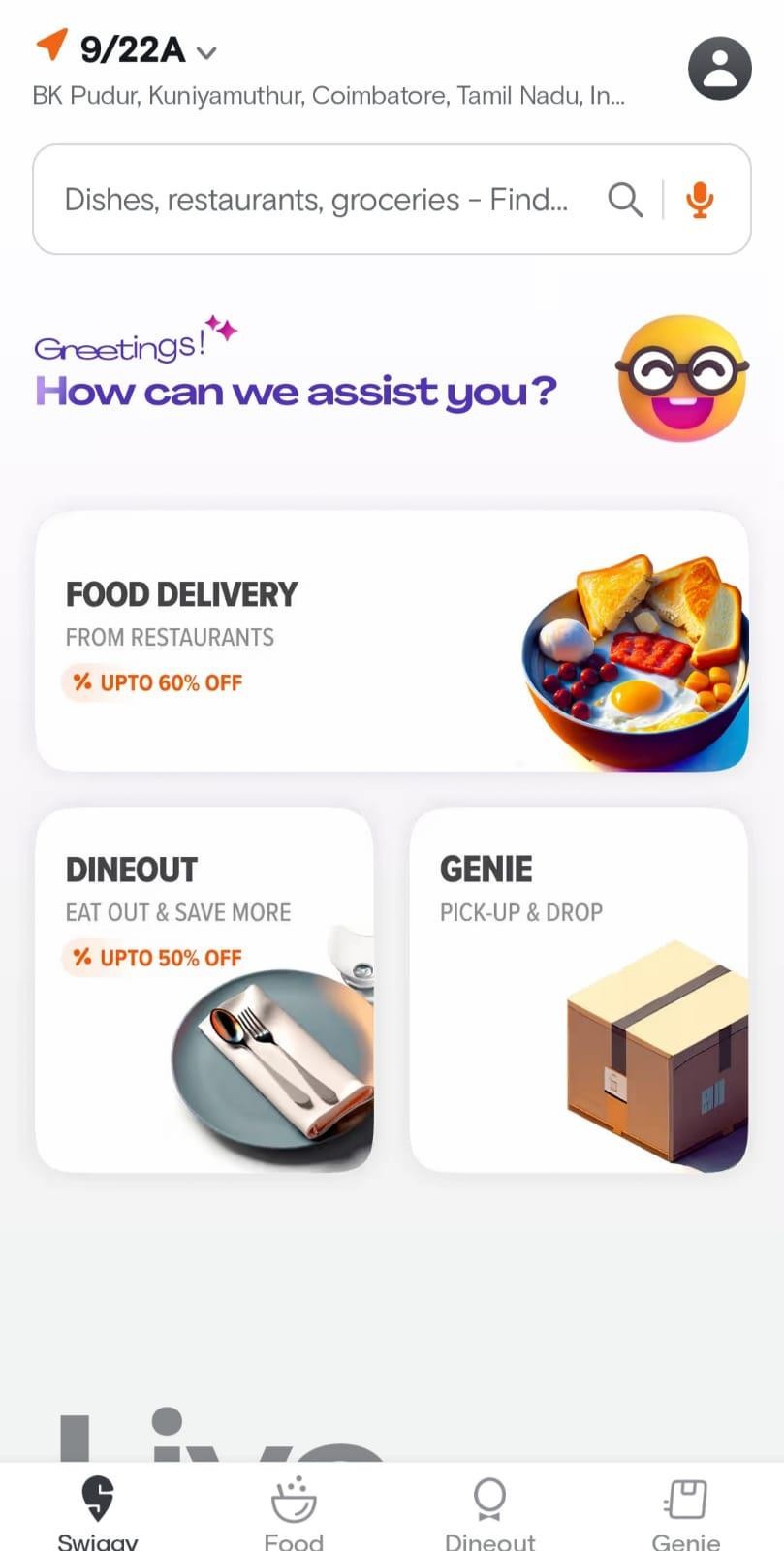
Location
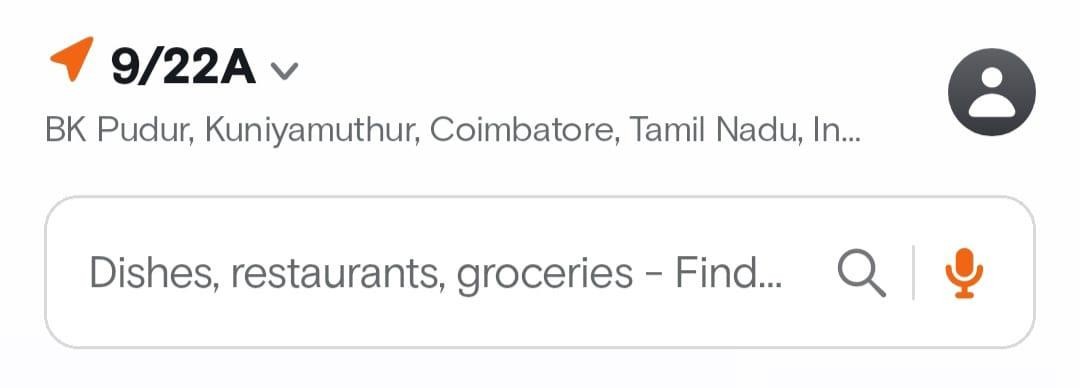
- Swiggy's location feature is a key component of the app's user
experience. It empowers users with the flexibility to choose where they want their food to be delivered.
- Whether you're at home, the office, a friend's place, or a park, Swiggy allows you to set your preferred delivery location with ease.
- This functionality is incredibly convenient for users, as it eliminates the hassle of manually entering their address every time they place an order. Users can save multiple addresses for quick access, making it effortless to switch between delivery destinations based on their current needs or preferences.
- Additionally, Swiggy's integration with GPS technology enables precise location detection. Users can simply enable their device's GPS, and the app will pinpoint their current location.
- This is especially handy when you're on the move or in an unfamiliar area, ensuring that your meal arrives at the right place.
- In essence, Swiggy's location feature puts the power in the hands of users, allowing them to enjoy their favorite cuisine wherever they are,
whether it's their home, workplace, or any other location, with just a few taps on their smartphone
- It's all about convenience, choice, and a hassle-free ordering experience.
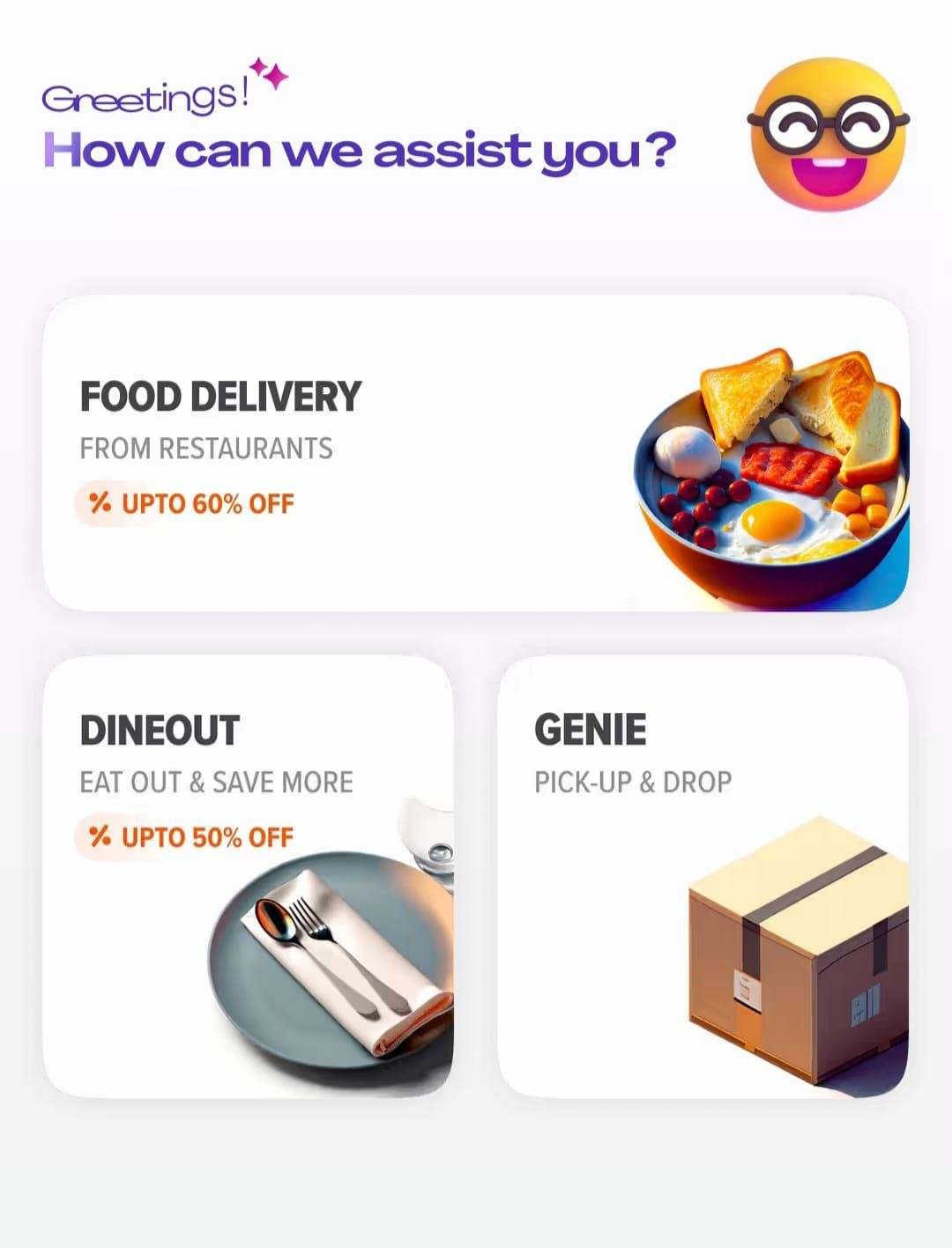
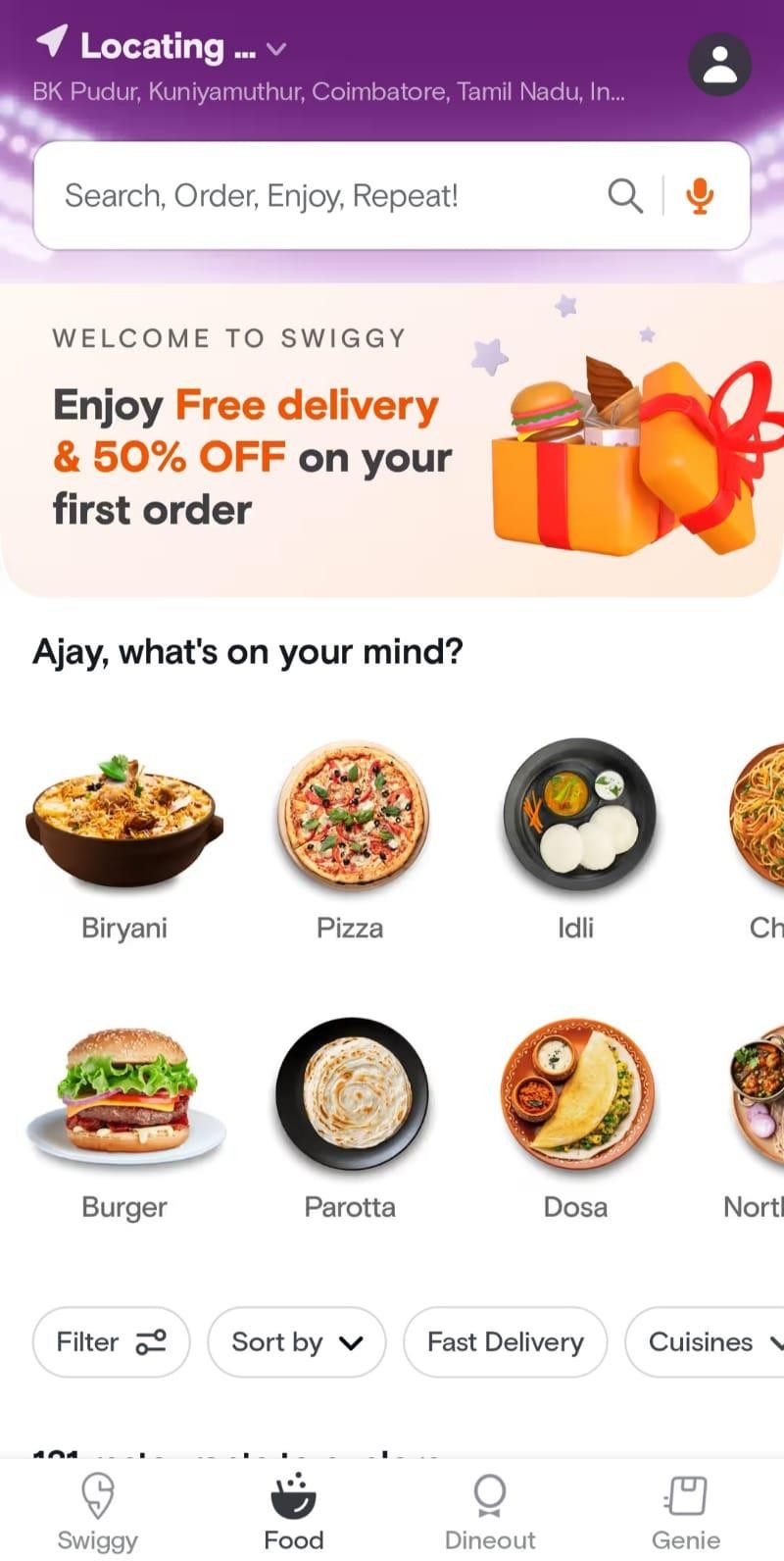
- Location:Swiggy allows users to set the delivery location to where they want their food to be delivered. Users can customize this location by entering their address, choosing saved addresses (such as home or office), or using GPS to detect their current location. This flexibility is convenient for users who may want food delivered to different places.
- Offers:Swiggy often features various offers and discounts to entice users to place orders. These can include discounts on specific restaurants, cashback offers, and combo deals. These offers are prominently displayed on the app's main page to attract users.
- Catchy Quotes:Swiggy uses catchy quotes or taglines to grab the user's
attention and encourage them to place an order. These quotes often highlight
the benefits of ordering through Swiggy, such as "Delicious food, delivered fast" or "Food for every mood."
- Profile: In the top right corner of the app, you'll typically find the user's profile icon. By clicking on this icon, users can access their account settings,
view order history, manage payment methods, and track their loyalty rewards or Swiggy Super membership status.
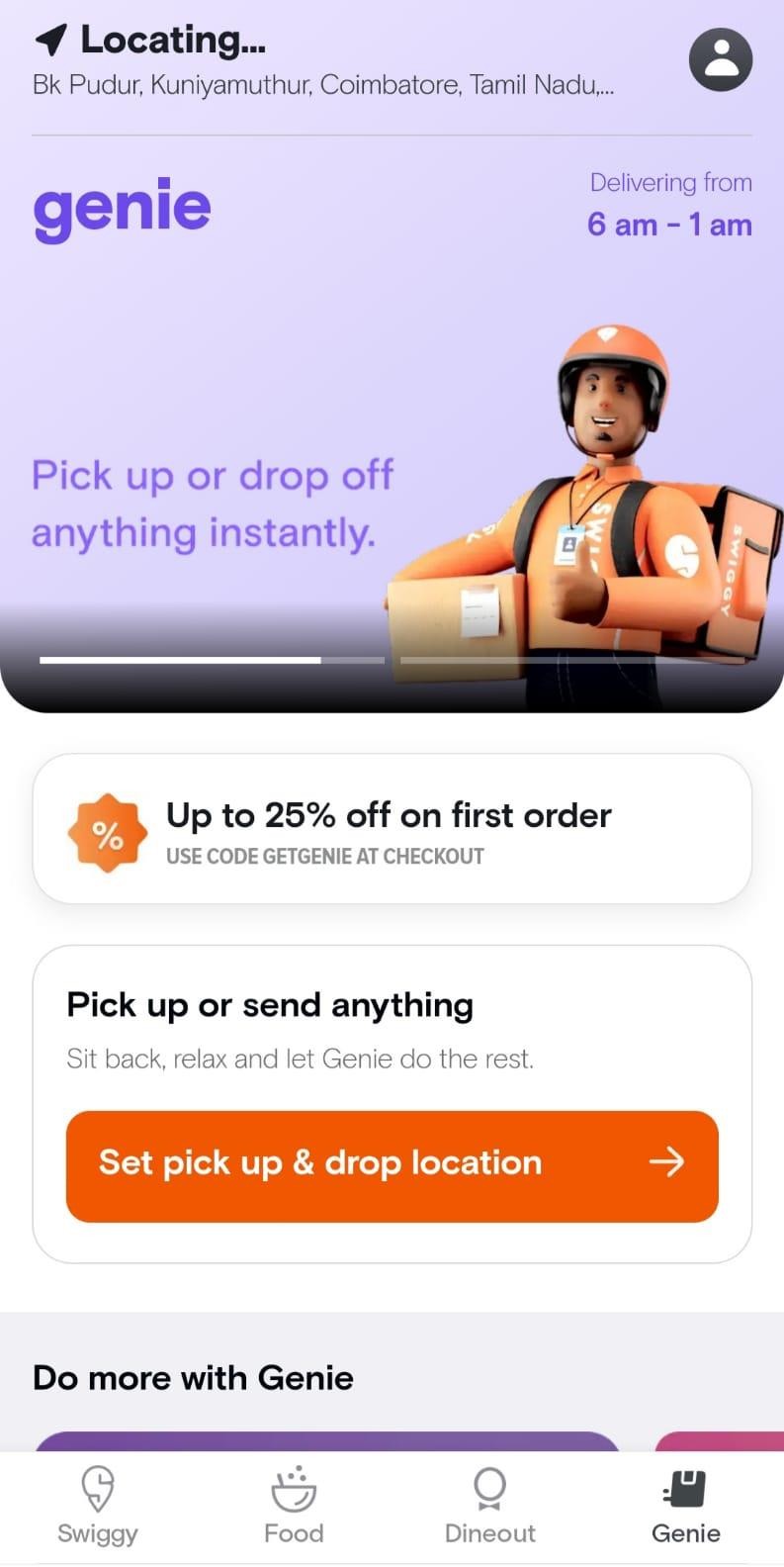
Swiggy Genie
Swiggy Genie is a service offered by Swiggy that goes beyond food delivery. It allows users to request pick-up and drop-off services for a wide range of items, not just food. For example, users can use Swiggy Genie to send or receive packages, documents, groceries, medicines, or anything else that can be
transported. This service is particularly useful when users need a quick and reliable way to send or receive items.
Food Delivery: This is the core service of Swiggy, where users can browse a wide selection of restaurants and cuisines, place orders, and have their food
delivered to their chosen location. Swiggy partners with numerous restaurants, cafes, and eateries to offer a diverse menu to its users.
Swiggy's food delivery service is at the core of its business model. It allows users to order a wide variety of dishes from restaurants and eateries in their area and have them delivered to their preferred location. Here's an in-depth look at how Swiggy's food delivery service works:
- Restaurant Selection:Users begin by opening the Swiggy app or website and entering their location. Swiggy then displays a list of restaurants in the vicinity that are available for delivery. Users can browse through these options.
- Menu Exploration: After selecting a restaurant, users can explore its menu, which is often available with detailed descriptions and prices for each dish.
Users can customize their orders by adding or removing items and specifying special instructions if needed.
- Order Placement: Once the user has selected their desired items, they add them to their cart. Users can review their order, make any necessary
adjustments, and proceed to checkout.
- Address Confirmation: Users are prompted to confirm their delivery address. Swiggy allows users to save multiple addresses, such as home, work, or other frequently visited places, for easy selection.
- Payment: Users can choose from various payment options, including credit/debit cards, digital wallets, and cash on delivery (if available in their area). They complete the payment process securely within the app.
- Order Tracking: After the order is confirmed and payment is made, users
receive an order confirmation with an estimated delivery time. They can track the status of their order in real-time, which includes updates on food
preparation, dispatch, and the delivery partner's location.
- Delivery: A delivery executive (also known as a Swiggy partner or delivery partner) assigned by Swiggy arrives at the restaurant to pick up the order. The partner then delivers the order to the user's specified location.
- User Ratings and Reviews:After the delivery is completed, users have the option to rate the restaurant and the delivery experience. They can also leave reviews to provide feedback for both Swiggy and the restaurant.
Key Benefits of Swiggy's Food Delivery Service:
Wide Restaurant Network:Swiggy partners with numerous restaurants, ranging from local eateries to popular chains, offering users a vast array of dining choices.
Convenience: Users can enjoy restaurant-quality food in the comfort of their homes or workplaces without the need for cooking or dining out.
Speed and Reliability: Swiggy strives to ensure timely deliveries, and users can track their orders in real-time for added convenience.
Customization: Users can customize their orders, choosing specific dishes, quantities, and any special requests.
Payment Options: Swiggy accepts various payment methods, providing flexibility to users.
Promotions and Offers: Swiggy frequently runs promotions and offers, such as discounts and cashback, to make food delivery more affordable.
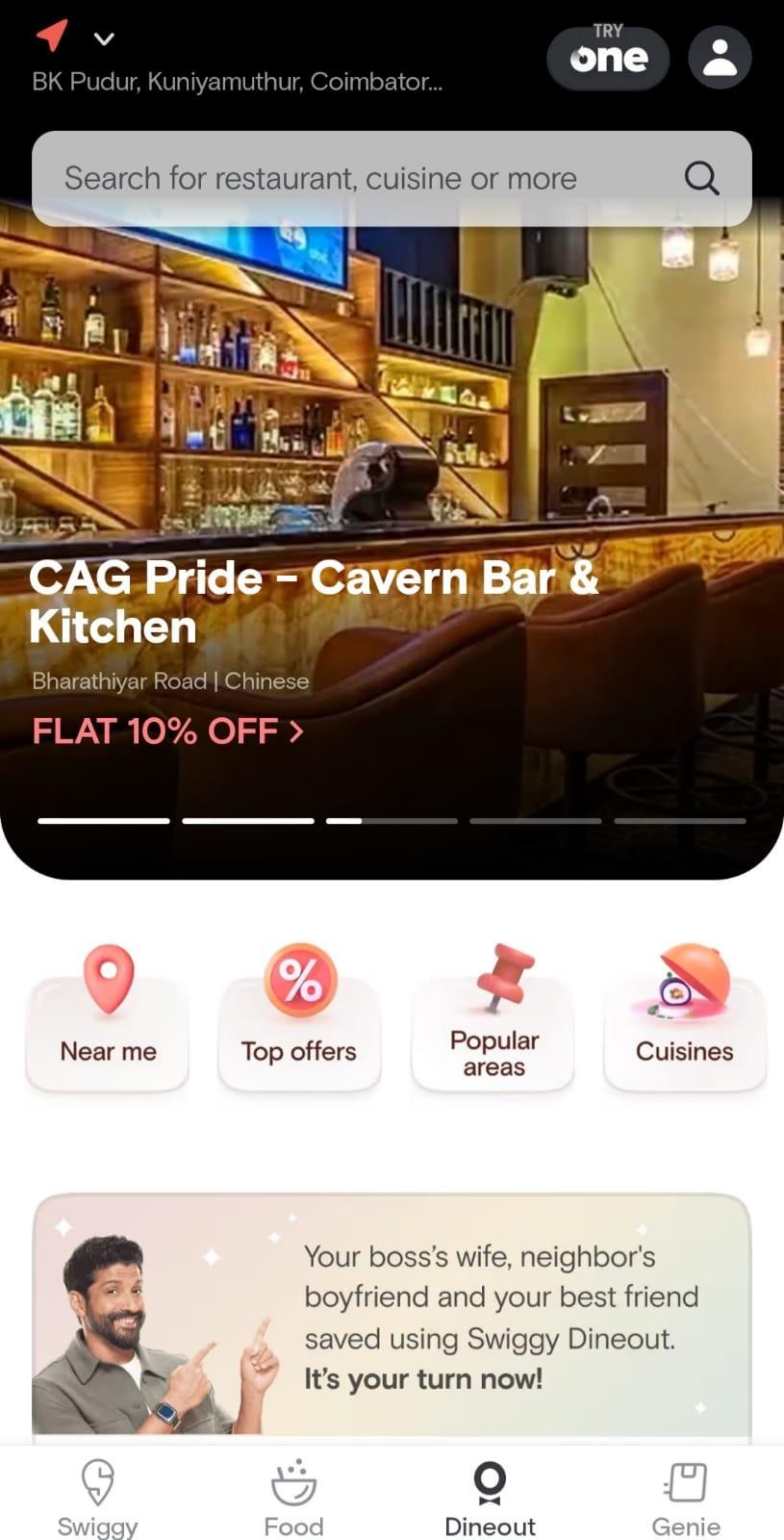
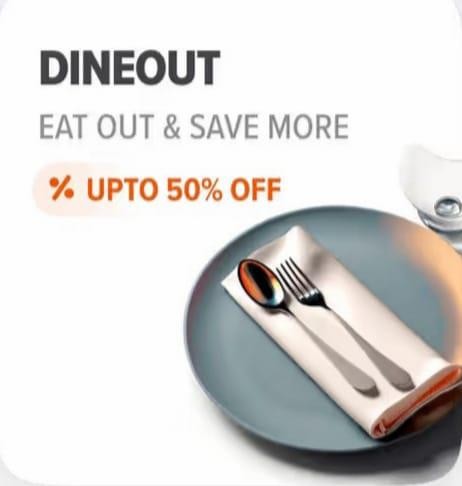
Dineout: Swiggy's Dineout feature allows users to make reservations at restaurants for dining in. Users can browse and select restaurants based on their preferences, view restaurant details, check availability, and make
reservations through the Swiggy app. This feature enhances the dining experience by ensuring a table is ready when users arrive at the restaurant.
- Restaurant Discovery:Swiggy Dineout helped users discover restaurants in their vicinity. It provided information about a wide range of restaurants,
including their cuisines, menus, location, and user reviews.
- Table Reservations: One of the key features of Swiggy Dineout was the ability to reserve tables at restaurants. Users could book tables in advance, ensuring
that they had a spot available when they arrived at the restaurant.
- Exclusive Deals and Offers:Swiggy Dineout often featured exclusive deals, discounts, and offers at partner restaurants. Users could find special promotions and savings on their dining bills.
- Cashback and Loyalty Points:Users who made reservations or dined at partner restaurants through Swiggy Dineout could earn cashback or loyalty points. These rewards could often be used for future reservations or dining experiences.
- In-App Payments:Swiggy Dineout integrated with Swiggy's payment system, allowing users to make payments directly through the app. This made the
dining experience more convenient as users didn't have to worry about cash or credit cards.
- Restaurant Reviews and Ratings: Users could read and contribute restaurant reviews and ratings, helping others make informed decisions about where to dine.
- Dining Events and Special Occasions:Swiggy Dineout occasionally promoted dining events and special occasions at restaurants. This could include themed dinners, live music, and more.
- Integration with Swiggy's Ecosystem: Swiggy Dineout was integrated into the Swiggy app, allowing users to seamlessly transition between ordering food for delivery and making reservations for dine-in experiences.
- User-Friendly Interface: The user interface of Swiggy Dineout was designed to be user-friendly, making it easy for users to search for restaurants, make
reservations, and access offers.
- Enhanced Dining Experience:Swiggy Dineout aimed to enhance the overall dining experience by providing a one-stop solution for restaurant discovery,
reservations, payments, and exclusive offers.
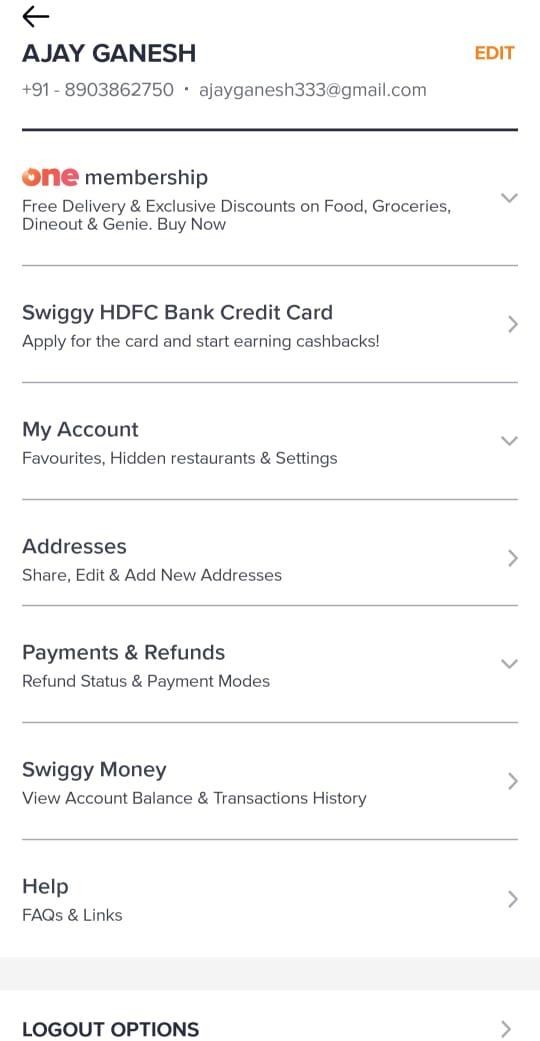
Swiggy Profile
1.Membership:The "Membership" section typically refers to any premium or subscription-based service that Swiggy offers. For example, Swiggy Super is a subscription service that provides benefits like free delivery and exclusive discounts on orders. In this section, users can manage their subscription status, renew or cancel it, and view the benefits they receive as part of the membership
2. My Account:The "My Account" section contains information related to your personal details and account settings. This may include your name, email address, phone number, and password. Users can update their profile information, change their password, and manage account preferences in this section.
3. Addresses:The "Addresses" section allows users to save multiple delivery addresses. Users can add, edit, or delete delivery addresses here. This is especially useful if you want to have orders delivered to different locations, such as your home, workplace, or a friend's place.
4. Payment and Refunds:The "Payment and Refunds" section is where users can manage their payment methods and review their transaction history. Users can add or remove credit/debit cards, digital wallets, or other payment methods for making orders. Additionally, users can view details of their past transactions, including order receipts and payment confirmations. If there are any issues with payments or refunds, users may also find resources or contact information to resolve these issues within this section.
5. Swiggy Money:Swiggy Money is Swiggy's digital wallet or prepaid balance system. Users can add funds to their Swiggy Money wallet and use it to pay for their orders. The "Swiggy Money" section allows users to view their wallet balance, add funds, and see the transaction history related to their Swiggy Money account
6. Help:The "Help" section is where users can find answers to common questions and seek assistance with various issues related to their Swiggy account and orders. This section may include FAQs, contact information for customer support, and guidelines for addressing common concern
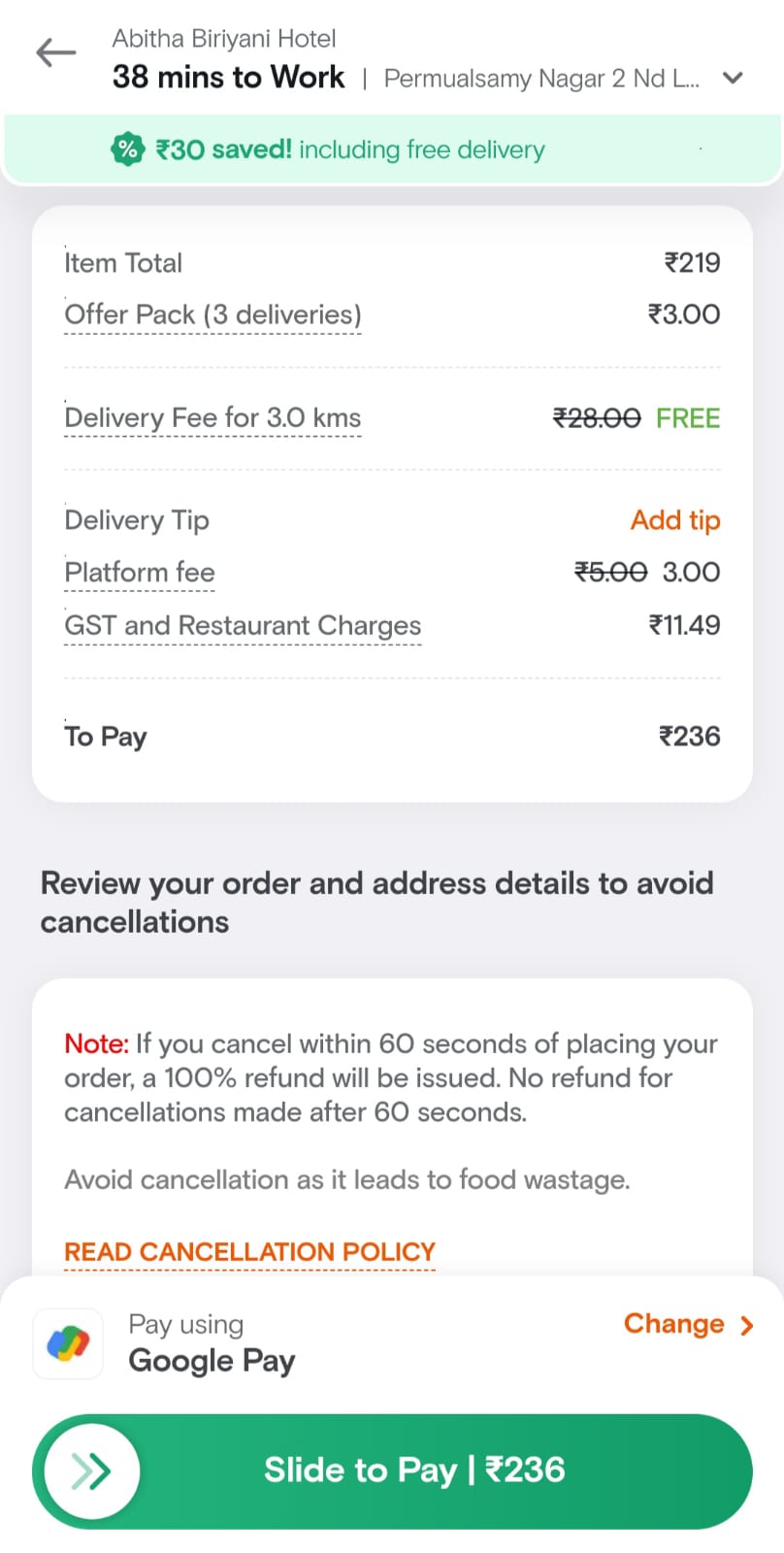
1. Item Total:This is the total cost of the food items you have selected from the restaurant's menu.
2. Offer/Promotion Applied:If you have applied any discounts, coupons, or promotions, this is where you will see the amount deducted from the total cost.
3. Delivery Fee: Swiggy charges a delivery fee to cover the cost of delivering the food to your location. This fee may vary depending on your location and the restaurant.
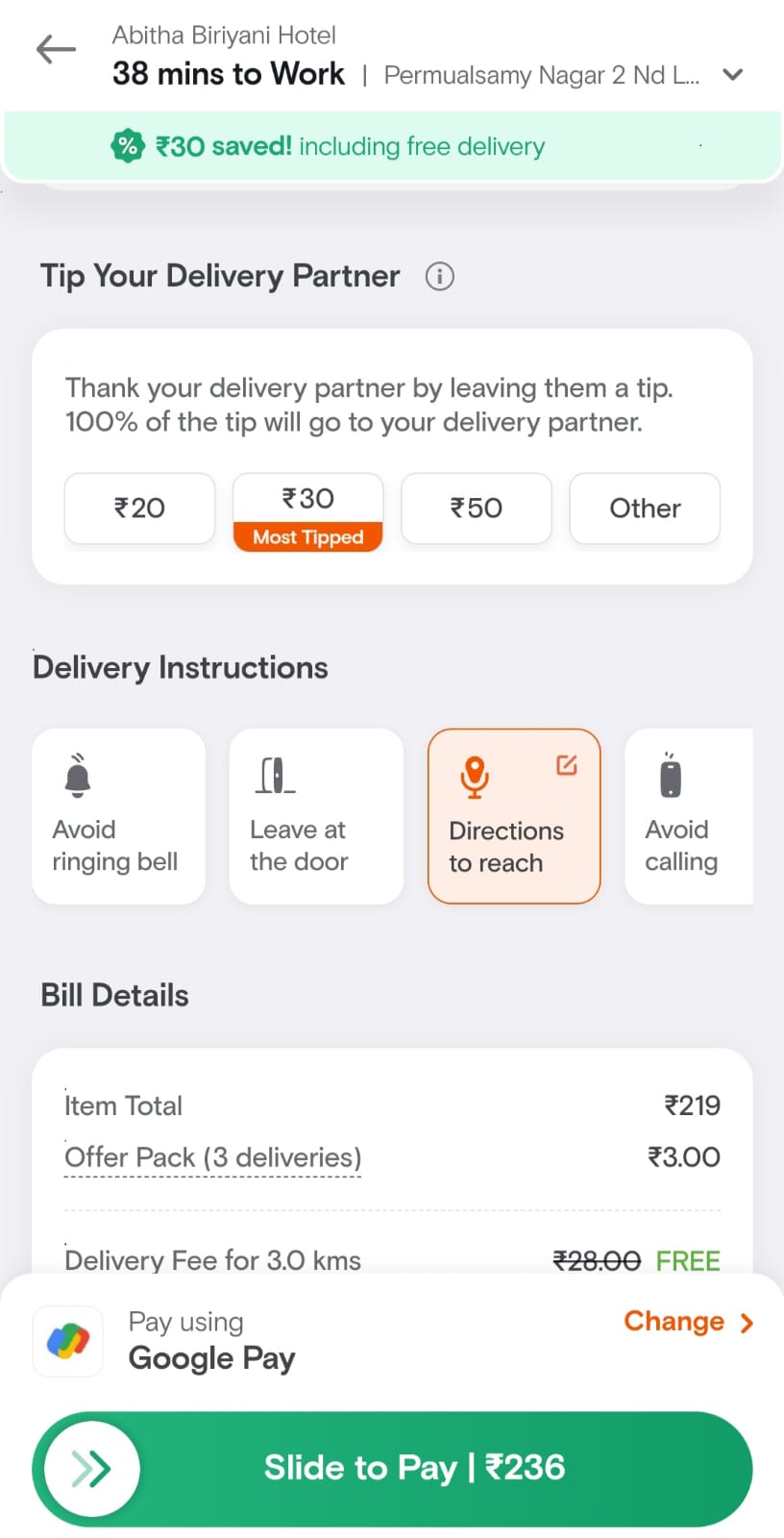
4. Delivery Tip:This is an optional tip you can choose to give to the delivery person as a token of appreciation for their service. It is not mandatory.
5. Platform Fee:Swiggy charges a platform fee for using their app or website to place an order. This fee contributes to the overall operation of the platform.
6. GST (Goods and Services Tax): This is a government-imposed tax that is applied to the food order. It is a mandatory tax required by law.
7. Restaurant Charges: Some restaurants may impose additional charges, such as packaging fees or service charges. These are specific to the restaurant's policies.
8. Total Amount: This is the sum of the item total, delivery fee, delivery tip, platform fee, GST, and any restaurant charges. It represents the amount you need to pay for your order.
9. **Delivery Instructions:** These are special instructions you can provide to the delivery person. Common instructions include "Avoid ringing bell," "Leave at the door," "Directions to reach," or "Avoid calling." These instructions help ensure a smooth and contactless delivery.
10. Cancellation Policy: Swiggy's cancellation policy typically includes the following:
- If you cancel your order within 60 seconds of placing it, you may be eligible for a full refund.
- If you cancel after the initial 60 seconds, the refund policy may vary. You may receive a partial refund, and it depends on factors like the restaurant's policy and the stage of food preparation.
- In case of a restaurant or delivery-related issue (e.g., delayed delivery, wrong order, or food quality concerns), you can contact Swiggy's customer support for resolution and potential refunds.
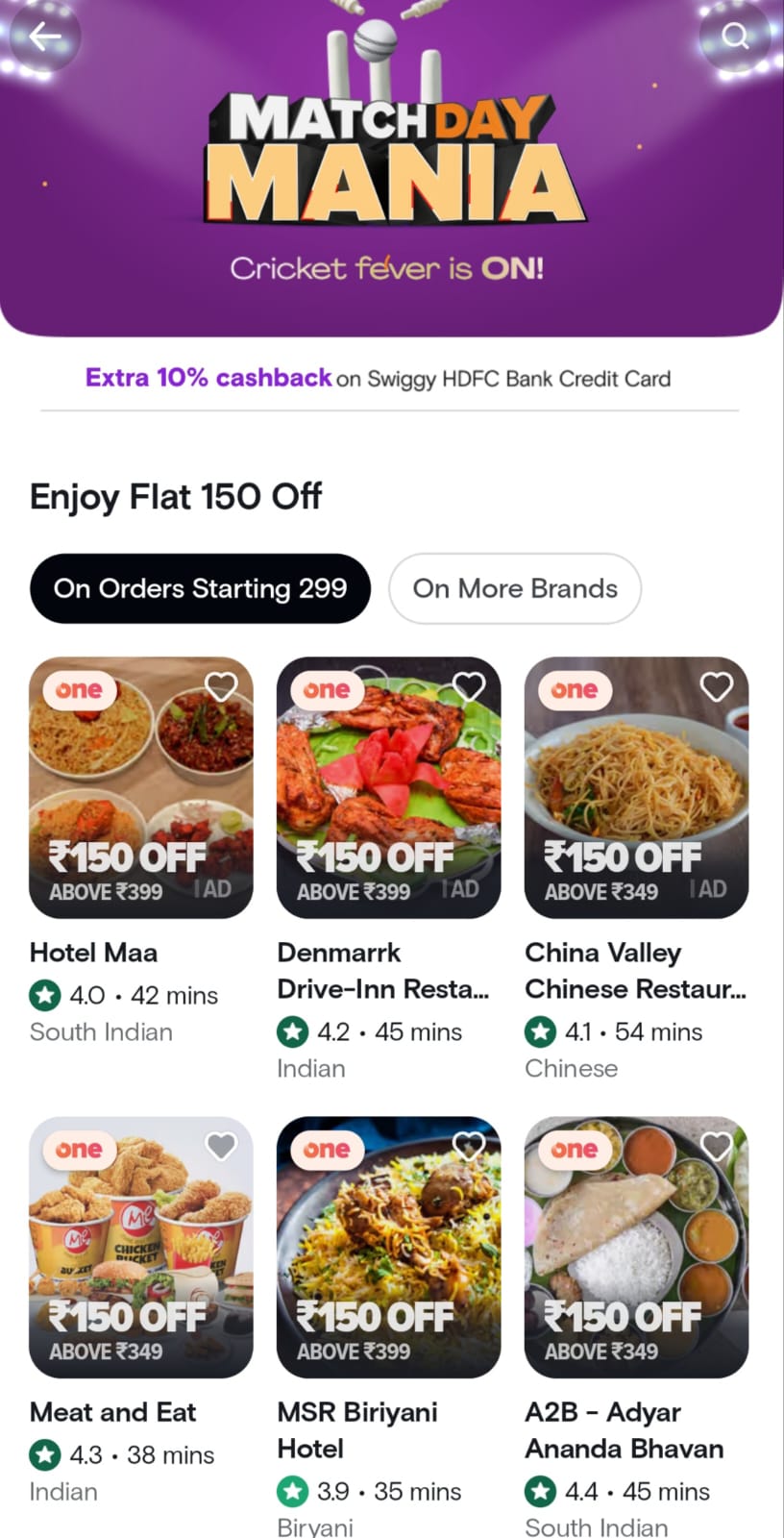
"Match Day Mania" is a promotional campaign or offer run by Swiggy on specific match days, usually related to popular sports events, such as cricket matches or other major sporting events. This offer is designed to attract customers and provide them with special deals and discounts while they enjoy watching the game.
Discounted food items: Some restaurants may offer discounts on specific dishes or entire menus.
Combo deals: Swiggy may promote combo deals where you can get multiple items at a reduced price.
Cashback or discounts on minimum order values: You might receive cashback or discounts on your order if it meets a minimum order value.
2. Exclusive Promotions: Swiggy may introduce exclusive promotions, such as limited-time menus, new items, or signature dishes created for the occasion. These promotions are often themed around the sport or event being celebrated.
3. Contests and Prizes: Swiggy may organize contests, quizzes, or interactive games related to the match or event. Customers participating in these contests may have a chance to win prizes, including free food or vouchers.
4. Live Updates: Swiggy's app or website may provide live score updates and notifications related to the ongoing match or event to enhance the overall experience.
5. Delivery Time Commitments:Swiggy may make special efforts to ensure that food orders are delivered promptly, even during peak demand. This helps customers enjoy their meal while watching the match without interruptions.
6. Increased Restaurant Options: Swiggy may partner with a broader range of restaurants and eateries during Match Day Mania to offer customers a wider selection of cuisines and choices.
7. Specific Match Days:Match Day Mania offers are typically available on specific match days or during the duration of significant sports events. They are time-bound and may coincide with key matches, tournaments, or championships.
8. Terms and Conditions: It's important to note that specific terms and conditions apply to Match Day Mania offers. These conditions may include minimum order values, maximum discounts, and eligibility criteria. Make sure to read and understand these terms before placing an order.
To take full advantage of Match Day Mania on Swiggy, customers can keep an eye on the app or website for announcements and updates related to ongoing promotions. It's a fun way to enjoy your favorite sports events with delicious food and save money through special offers and discounts. Be sure to check the Swiggy app or website for the most up-to-date information on their promotions, as the details may change over time.
Swiggy Riders Features
The Swiggy Rider App is designed to assist delivery partners (riders) in efficiently fulfilling food delivery orders on the Swiggy platform. It offers a range of features to make the delivery process smoother and more organized. Here are some of the key features of the Swiggy Rider App:
1. Order Management:
Order Acceptance:Riders can receive order requests and have the option to accept or decline them based on their availability and location.
Order Details: Riders can access information about the restaurant, the customer's location, and the items included in the order.
2. Navigation and Route Optimization:
The app provides turn-by-turn navigation to the restaurant for order pickup and to the customer's location for delivery. It optimizes routes for efficiency.
3. Earnings Tracking:
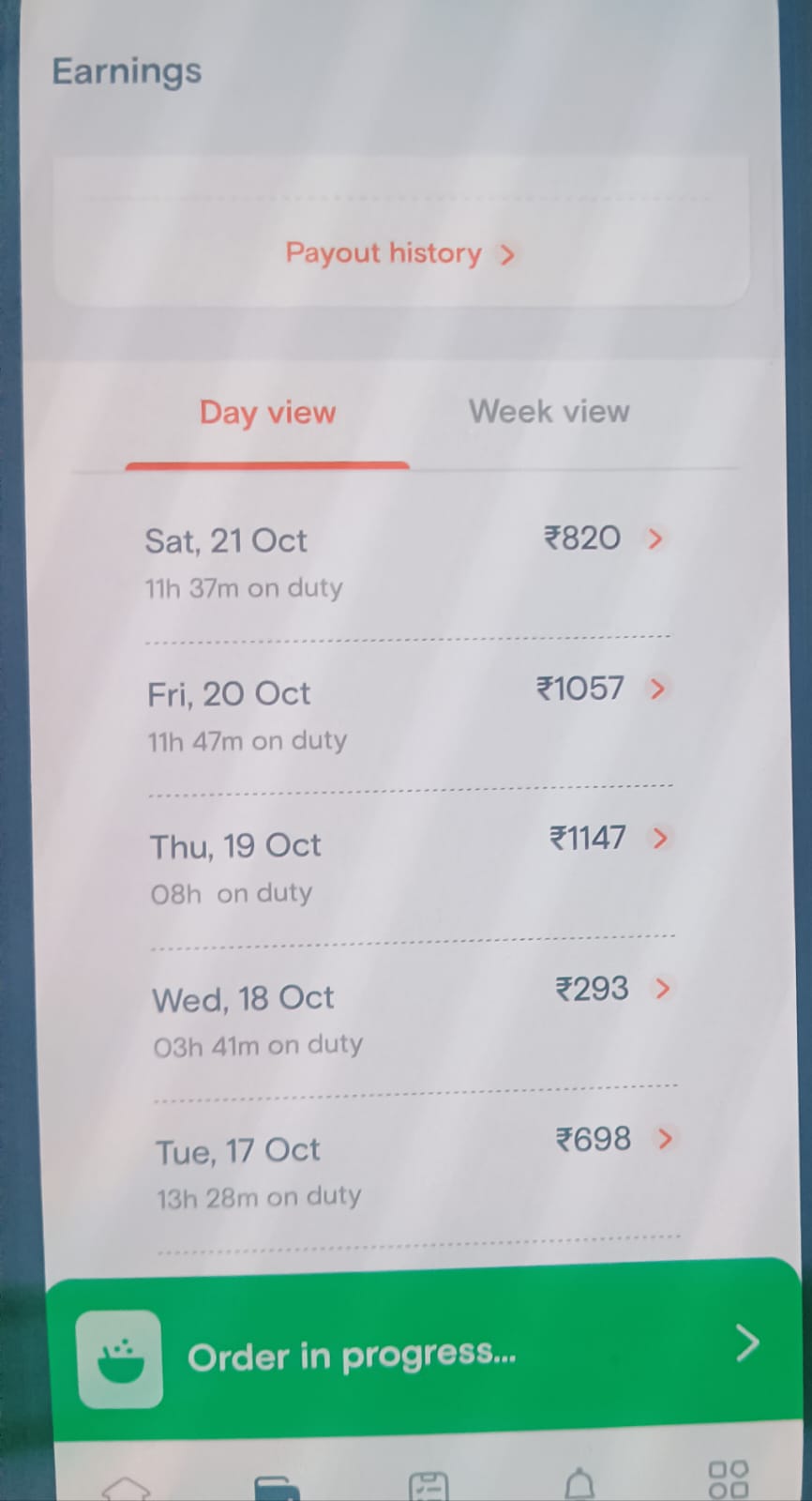
Riders can view their earnings in real-time, including the base pay and additional earnings for distance, incentives, and customer tips.
Earnings history is available, allowing riders to track their daily, weekly, and monthly income.
4. Incentives and Rewards:
- The app displays ongoing incentives and rewards for riders, encouraging them to achieve specific targets or complete a certain number of orders within a time frame.
5. Order History:
- Riders can access a history of past orders, enabling them to revisit order details, customer locations, and earnings for reference.
6. Contactless Delivery:
- In response to COVID-19, the app may offer contactless delivery options, allowing riders to leave orders at the customer's doorstep without direct contact.
7. Floating Cash Management:
- The app helps riders manage their floating cash, which can be used for small expenses or cash-on-delivery orders.
8. Customer Tips:
- Riders can see any tips added by customers to their orders, providing transparency on additional earnings.
9. Rate Card:
- The rate card provides riders with information on the fare structure, including base pay, distance pay, and any additional fees.
10. Support and Help Center:
- Riders can access a support center with FAQs, troubleshooting information, and a direct line to customer support for assistance with issues or queries.
11. Performance and Ratings:
- Riders can view their performance metrics, including customer ratings and feedback, allowing them to improve their service quality.
12. Profile and Personal Details:
- Riders can manage their account settings, update personal information, and modify details like phone number, email, and bank account information.
13. Referral Program:
- Riders may have access to a referral program that allows them to refer new delivery partners and earn referral bonuses when the referred partner completes a specified number of deliveries.
14. Settings:
- In the settings menu, riders can configure preferences, adjust notification settings, and customize app behavior to suit their needs.
15. Message Center:
- The message center allows riders to receive important announcements, updates, and promotions from Swiggy.
These features are designed to streamline the delivery process, provide transparency on earnings, and support the overall experience of Swiggy delivery partners. The Swiggy Rider App helps riders efficiently manage their deliveries, optimize their income, and enhance their performance on the platform.
Riders App
List of issues and features that Swiggy riders may encounter or need to utilize within the platform.
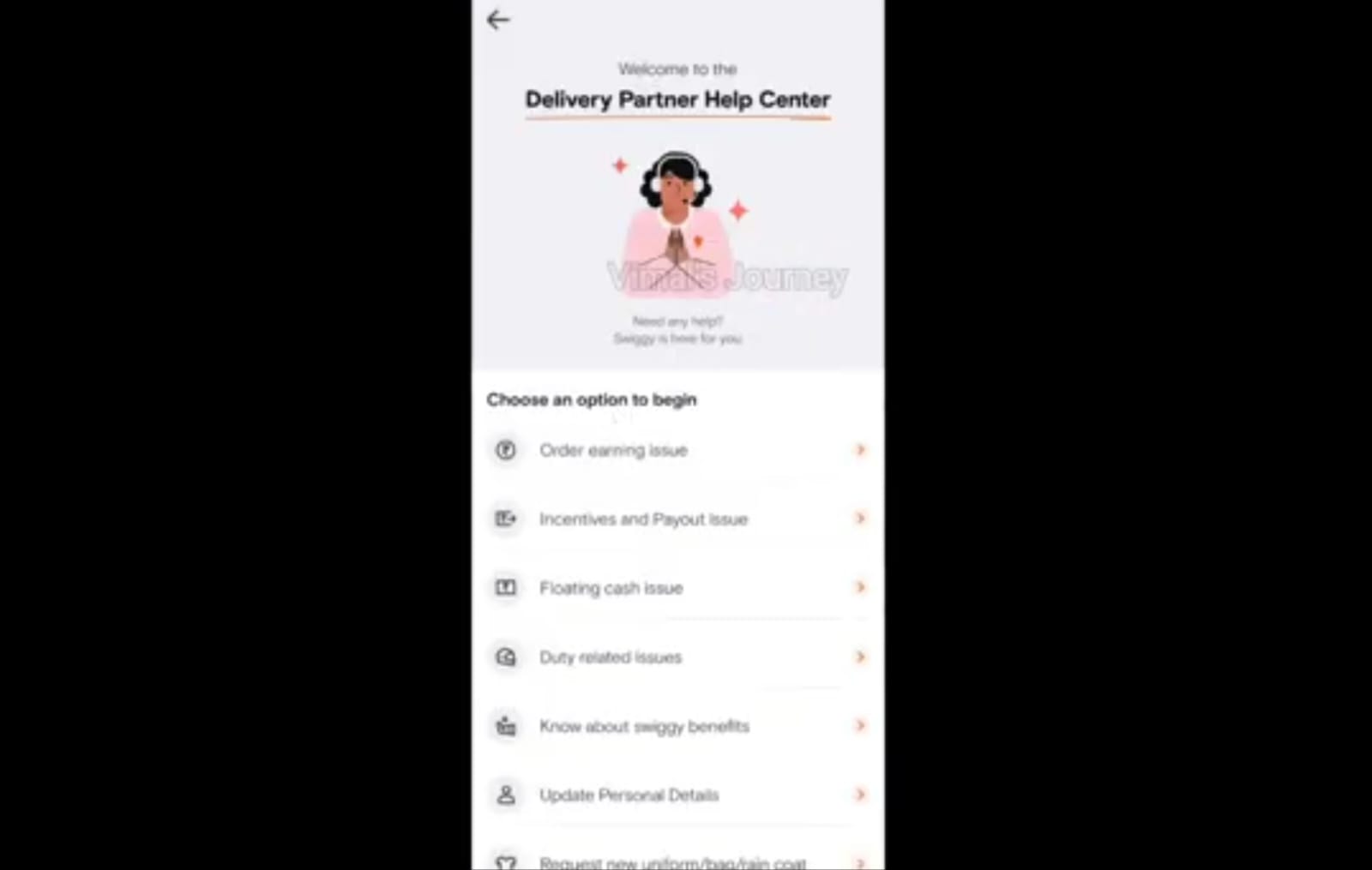
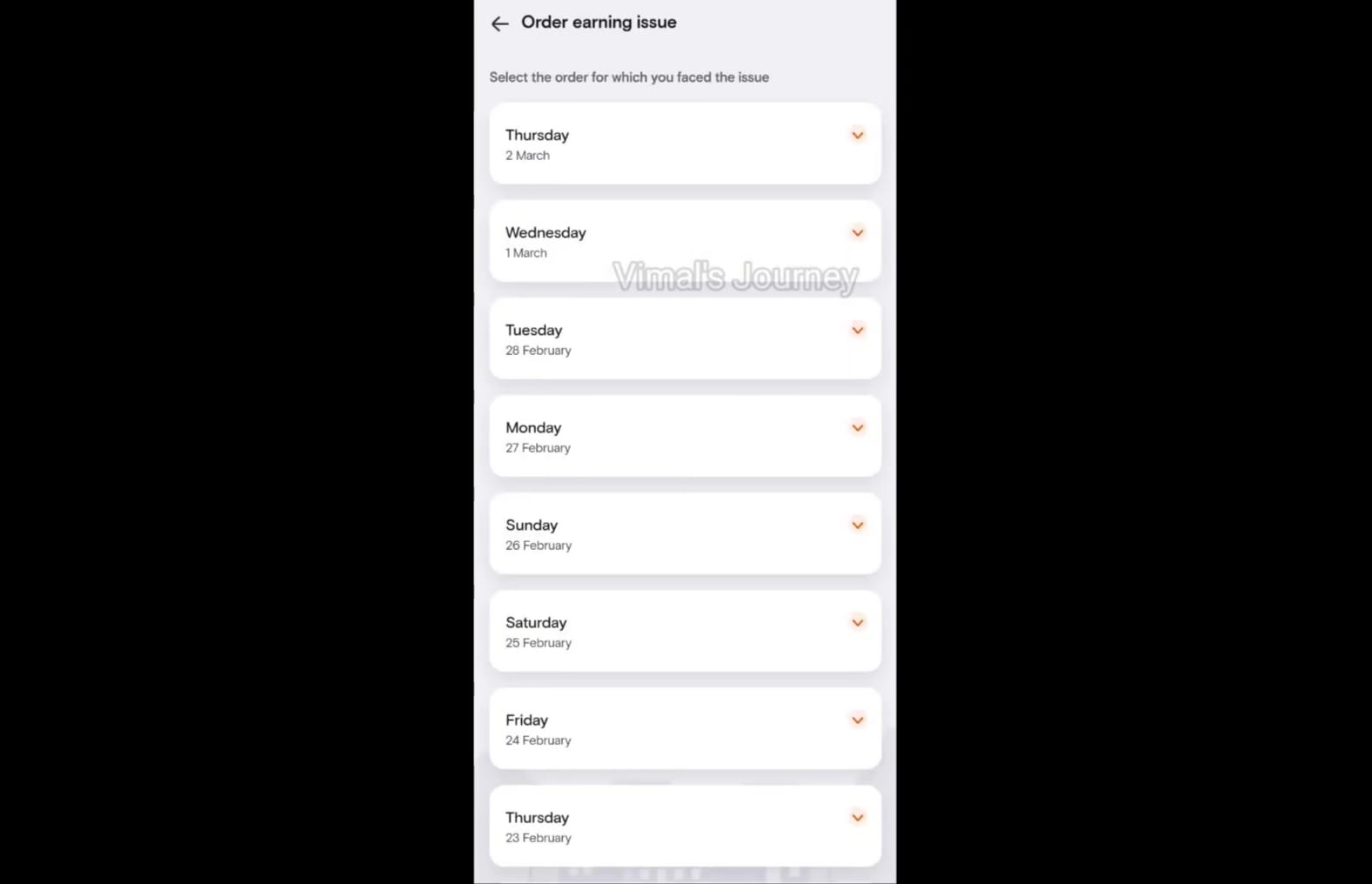
Order Earning Issue:
Days Worked: Riders may need information about the days they've worked, along with potential issues or discrepancies related to their earnings for specific days.
Incentive and Payout Issue:
Incentive Issue:Problems related to achieving incentives and bonus offers.
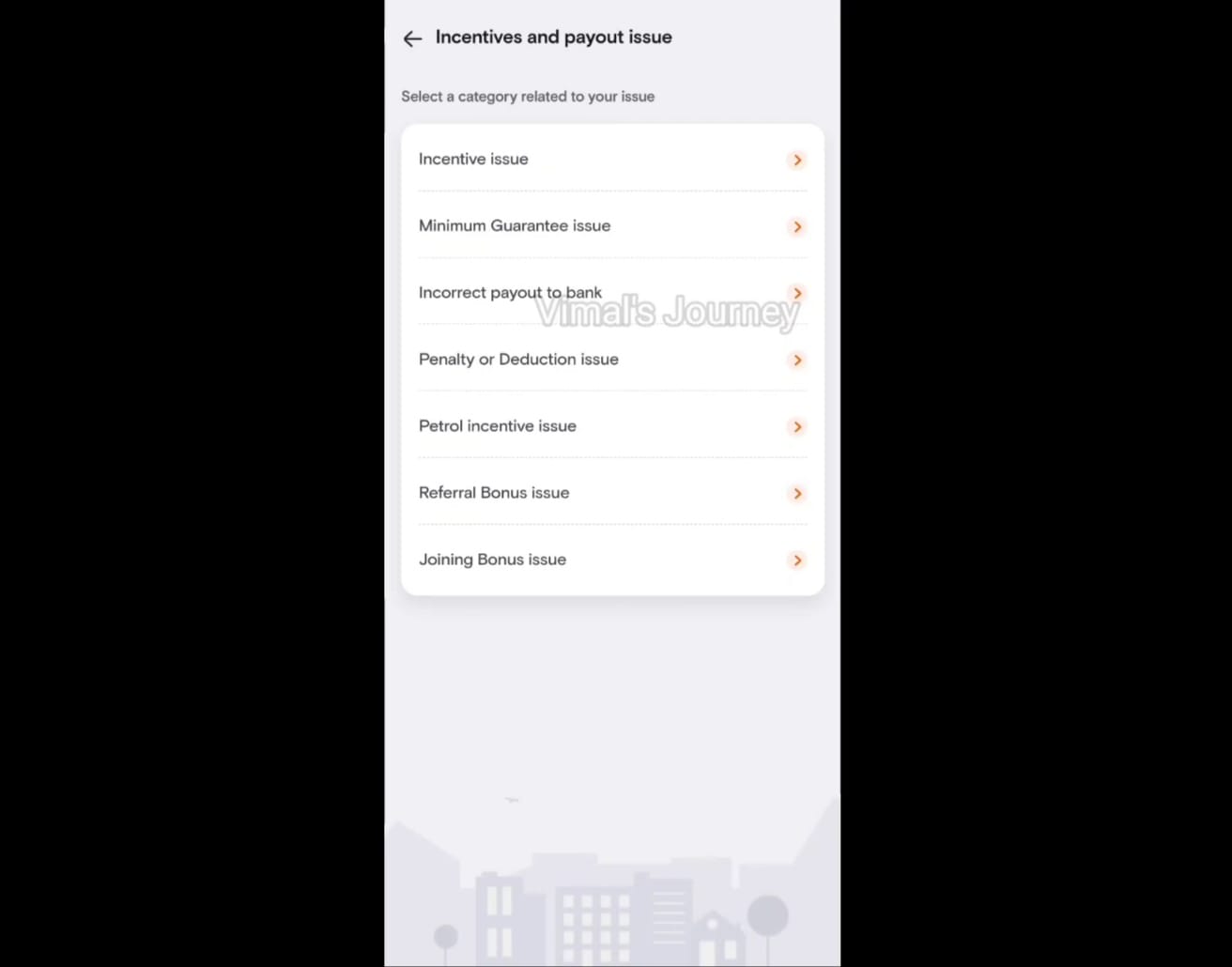
Minimum Guarantee Issue: Ensuring that riders meet the minimum earnings guarantee, which can help avoid fines if valid reasons are given.
Incorrect Payout to Bank: Addressing issues where the earnings are not accurately deposited into the rider's bank account.
Penalty or Deduction Issue:Dealing with fines or deductions from earnings.
Petrol Incentive Issue:Managing issues related to petrol or fuel incentives.
Referral Bonus Issue: Ensuring riders receive referral bonuses when they refer new riders.
Joining Issue: Handling concerns regarding the joining process.
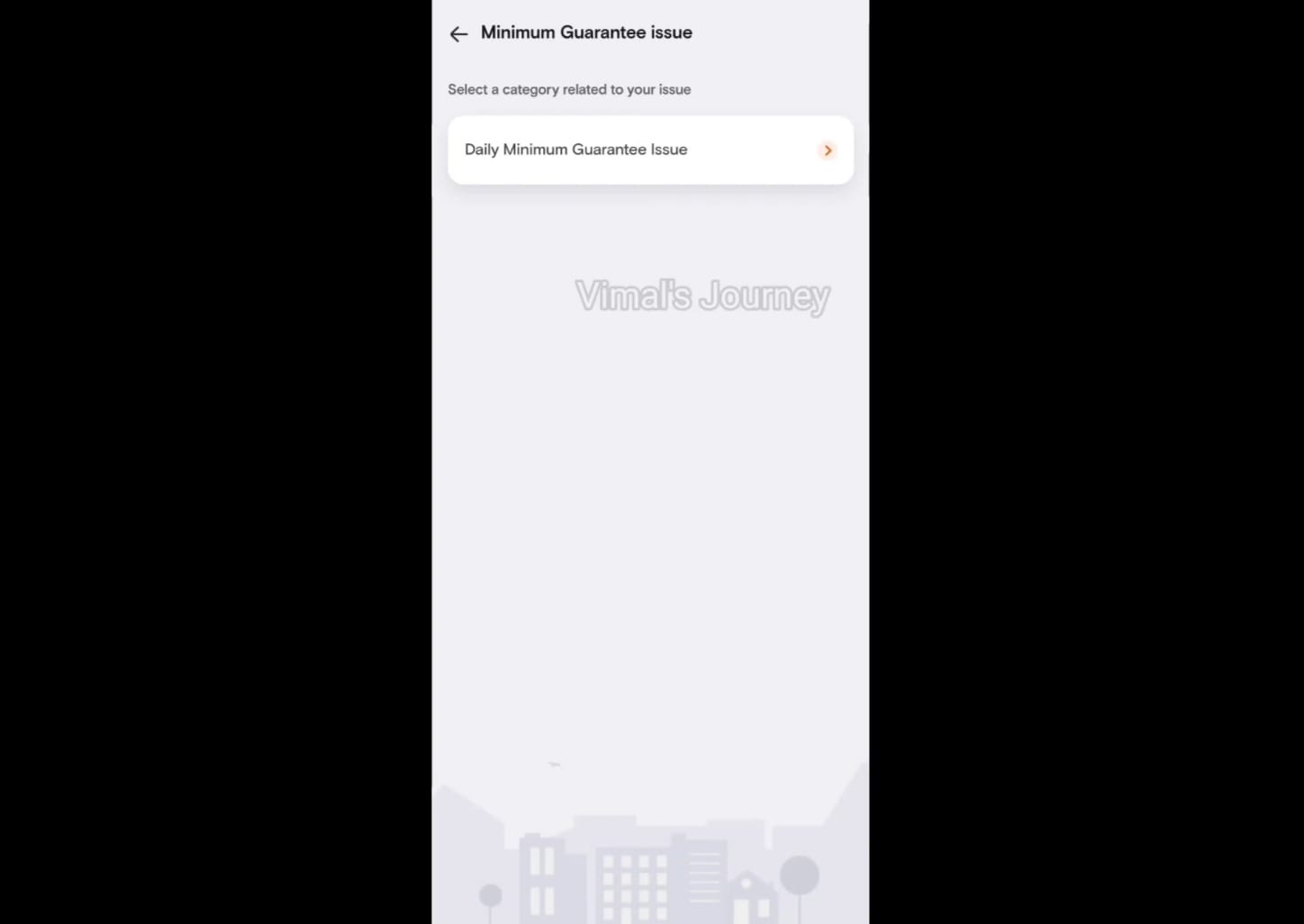
Floating Cash Issue:
Issue with Cash Deposited: Addressing problems with the cash deposited with the rider.
Deposited Extra Floating Cash:Handling situations where extra cash may have been deposited.
Pocketing Issue:Dealing with any issues related to the handling of floating cash.
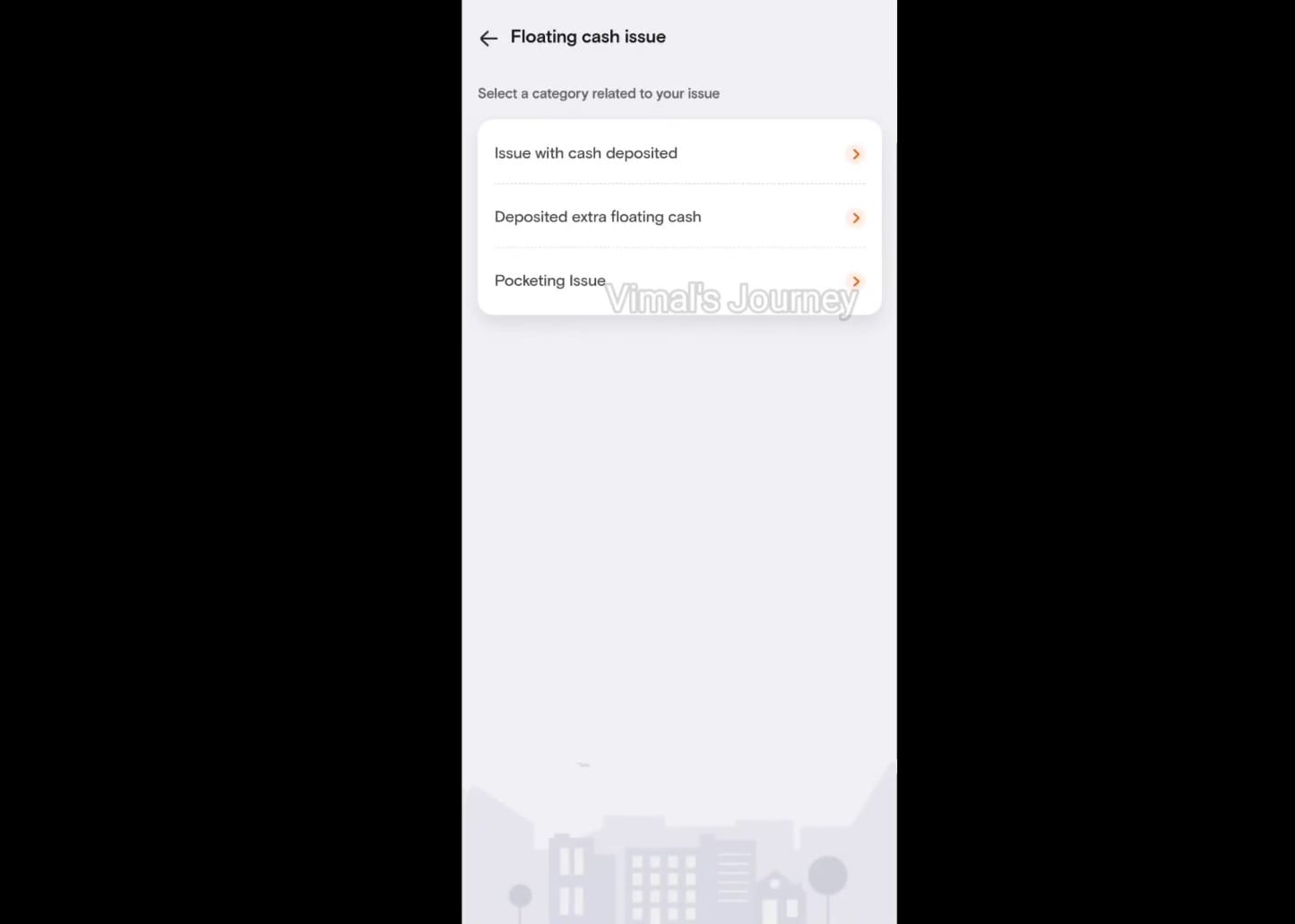
Duty-Related Issues:
Not Able to Start Duty Issue: Addressing situations where a rider may face difficulties starting their duty shift.
Not Getting Orders Issue: Resolving problems related to a lack of order assignments.
Change Shift/Zone Issue: Managing requests to change shift timings or delivery zones.
Start/Stop for Non-Food Orders:Allowing riders to differentiate between food and non-food orders.
Apply for Leave Issue:Facilitating the process for riders to apply for leaves when needed.
Leave Swiggy Permanently:Handling requests from riders who wish to leave the platform permanently.
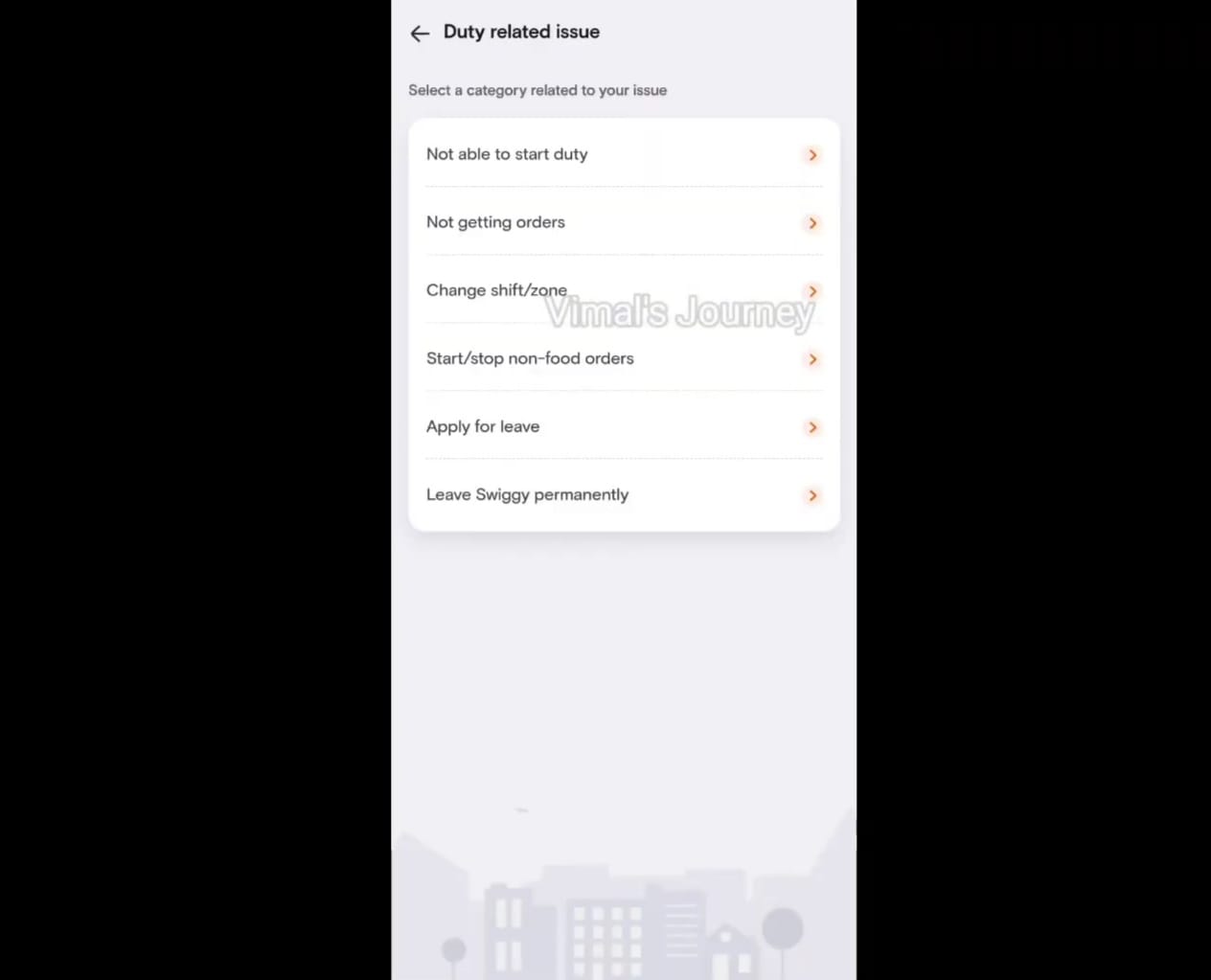
Swiggy Benefits:
Check Insurance Details:Accessing and verifying insurance details connected with the bank.
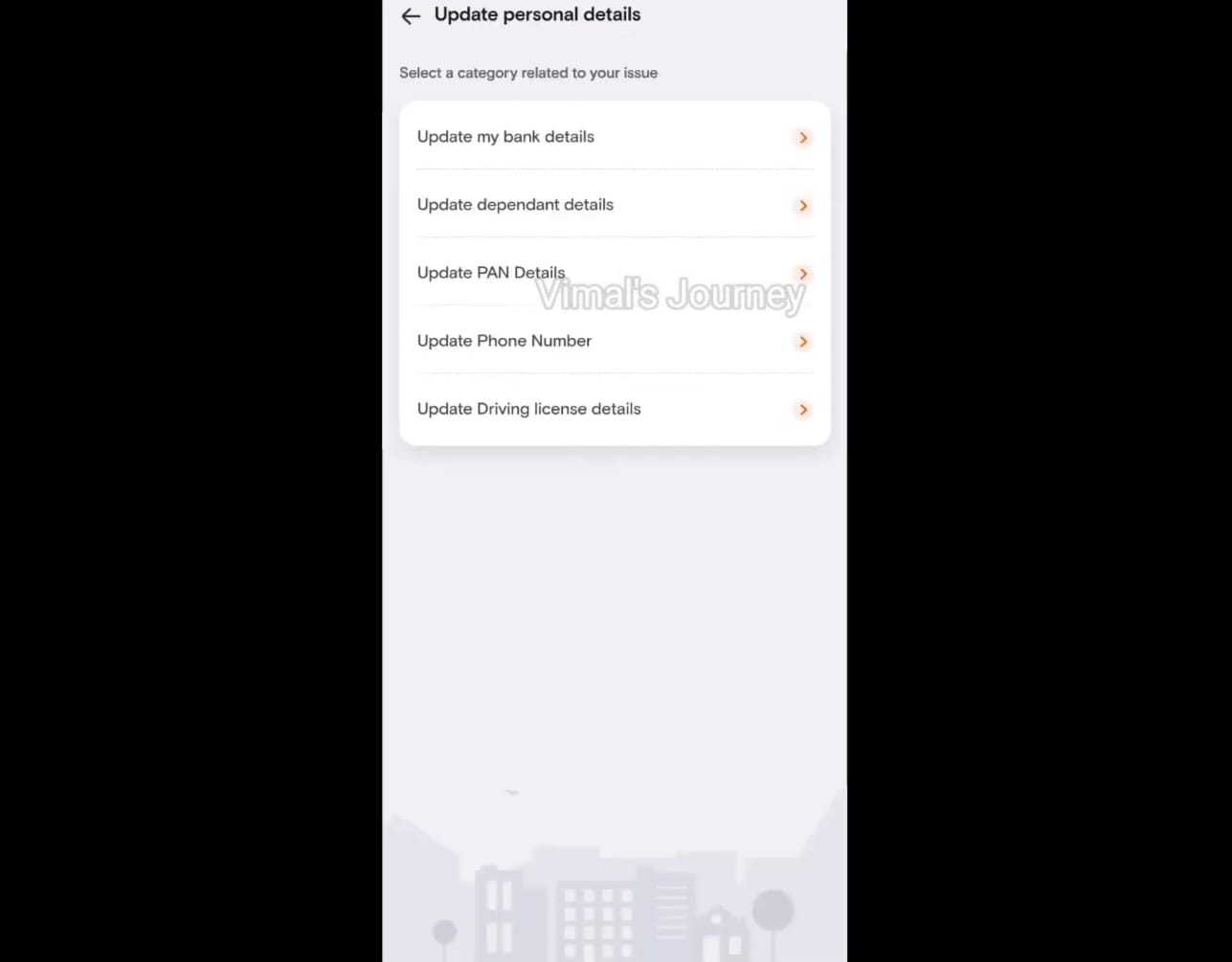
Update Personal Details:
-Update My Bank Details:* Allowing riders to modify their bank account information.
Update Dependant Details:Enabling updates to dependent information.
Update PAN Details: Managing changes to the PAN card details.
Update Phone Number:Changing the registered phone number.
Update Driving License Details: Updating details related to the driver's license.
Request a New Bag, Uniform, or Rain:
Separately Charged: Addressing requests for new delivery bags, uniforms, or rain gear, with information about potential charges.
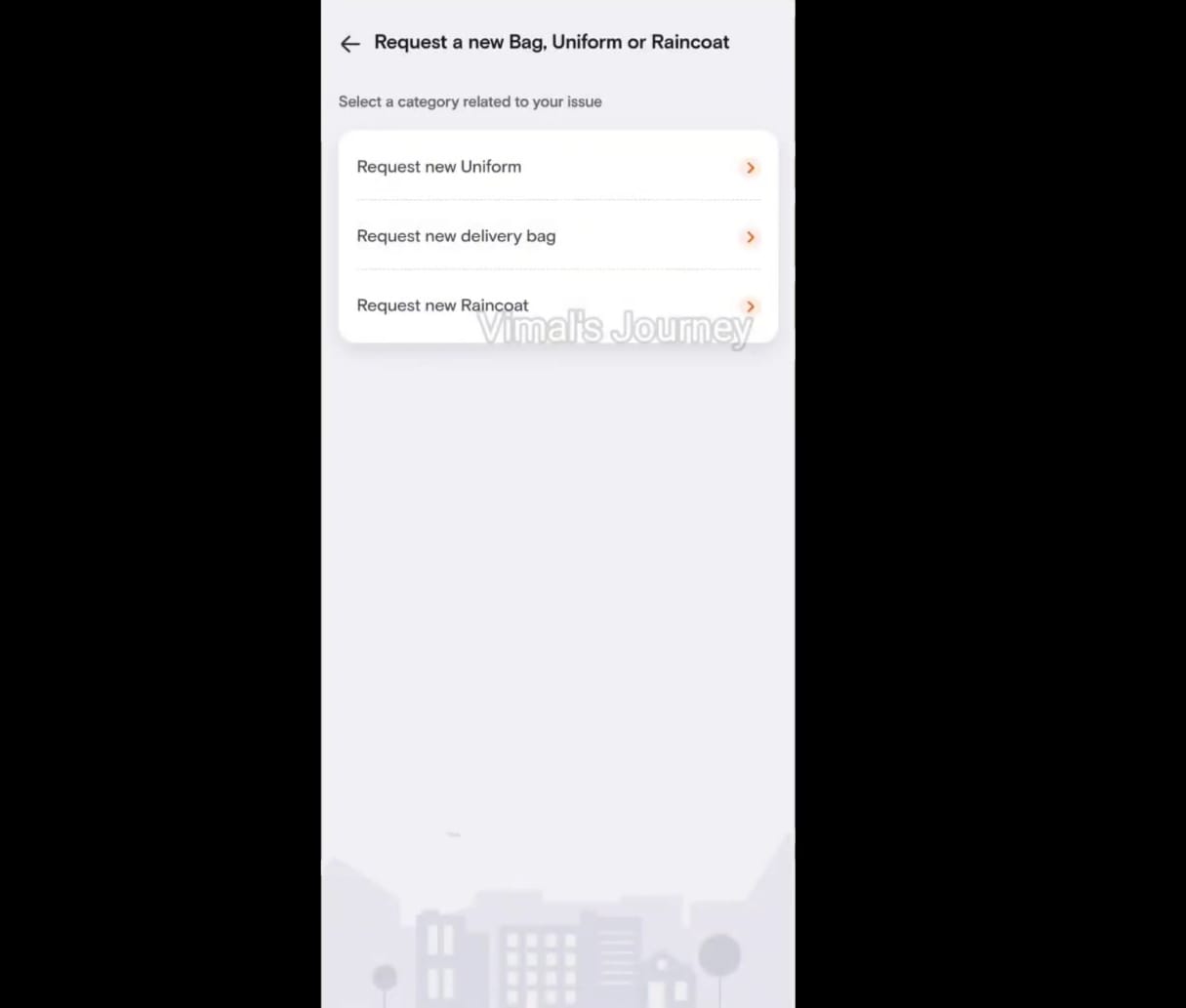
These features and issue resolution mechanisms are vital for the smooth operation of the Swiggy rider platform and to ensure a positive experience for riders, addressing their various concerns and needs. Swiggy's support and customer service teams are usually responsible for assisting riders with these matters.
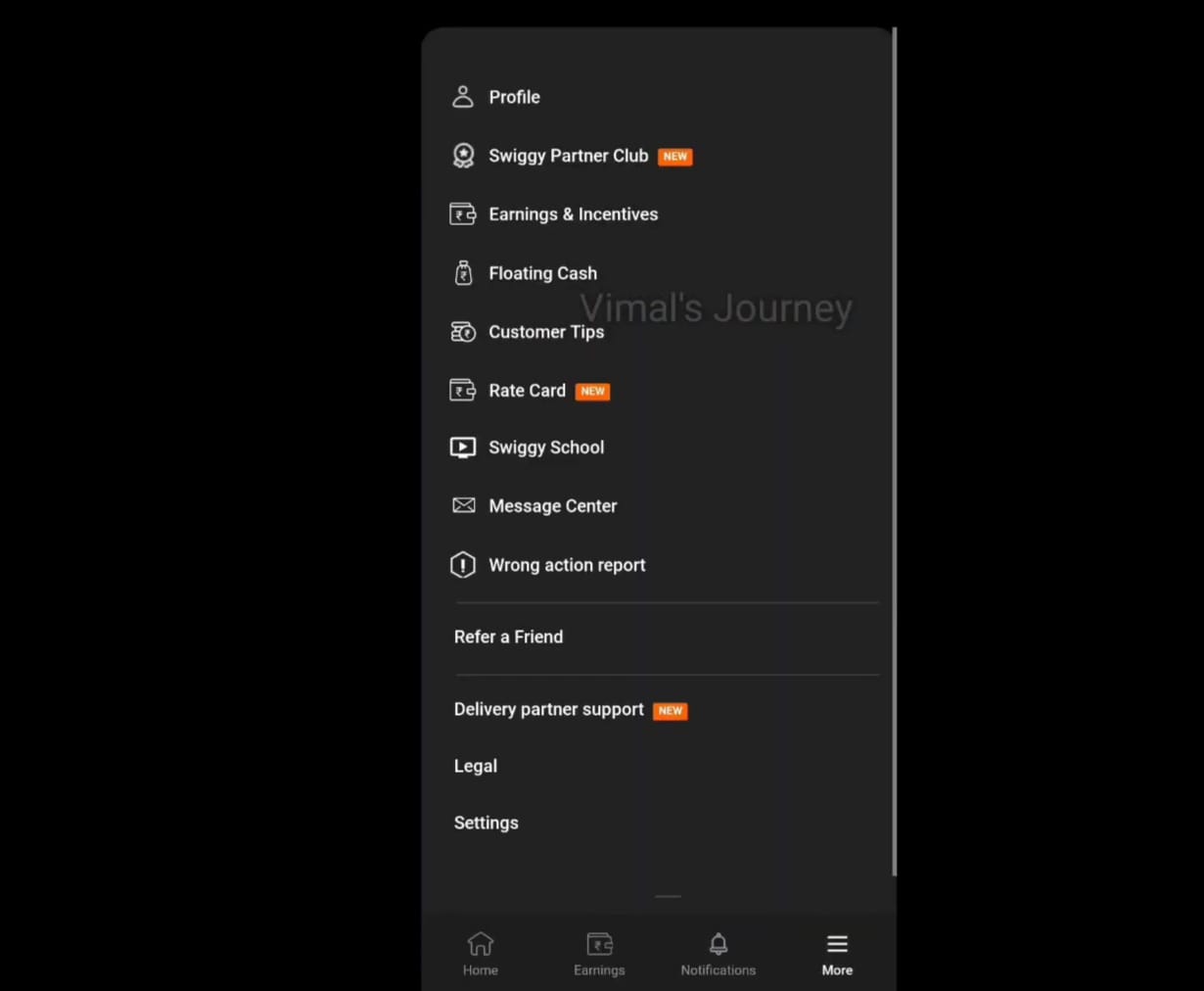
The profile or sidebar in the Swiggy rider app typically contains various options and features to help riders manage their account and access important information. Here's an explanation of the items you've listed:
1. Swiggy Partner Club: Swiggy Partner Club is a loyalty program for Swiggy delivery partners. It often offers benefits such as discounts on fuel, health insurance, and other perks. The profile section may provide details about the Partner Club, including the benefits and how to enroll.
2. Earnings and Incentives: This section provides riders with an overview of their earnings, including daily, weekly, and monthly earnings. It also displays information about any incentives they've earned. Riders can track their financial progress and see how close they are to achieving incentives.
3. Floating Cash: Floating cash typically refers to the cash provided to riders to make smaller purchases or handle cash-on-delivery orders. The app may have a section where riders can manage their floating cash balance and transactions.
4. Customer Tips: This feature allows riders to view any tips that customers have added to their orders. It's a way for riders to see additional earnings from satisfied customers.
5. Rate Card: The rate card provides riders with information about the pricing structure for different types of deliveries. It typically includes details about the base pay, distance-based pay, and other variables that determine rider earnings.
6. Swiggy School: Swiggy School often offers training and resources to help riders improve their skills and knowledge. The profile section may have links to educational materials and courses available in Swiggy School.
7. Message Center:The message center is where riders can access and read important messages and announcements from Swiggy. It's a way for the platform to communicate updates, promotions, and policy changes to riders.
8. Refer Friend: This feature allows riders to refer friends to join the Swiggy platform. When a referred friend completes a certain number of deliveries or meets specific criteria, both the referrer and the referred friend can receive referral bonuses.
9. Settings: The settings section is where riders can manage their app preferences, update personal information, adjust notification settings, and modify account details such as email, phone number, and password.
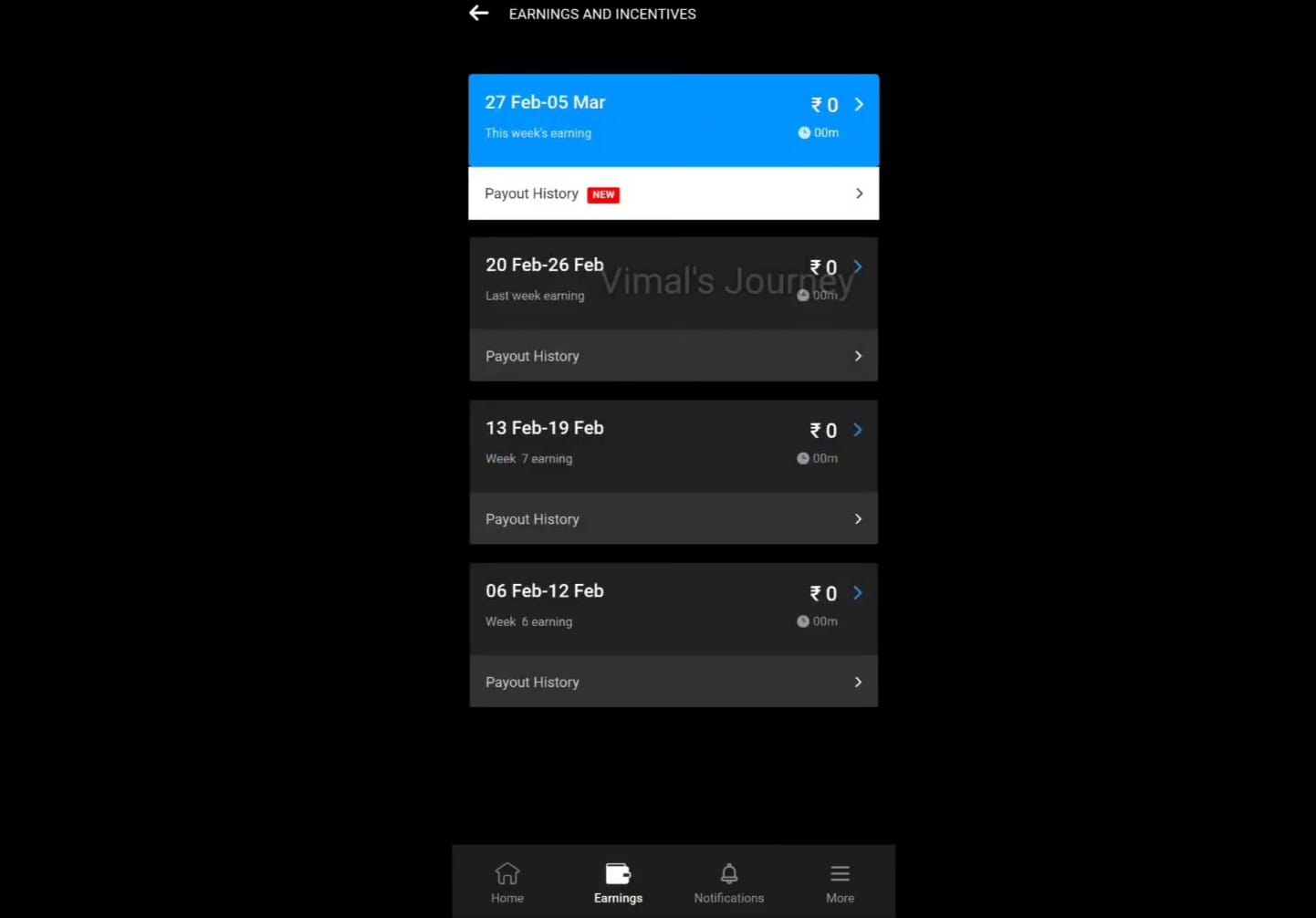
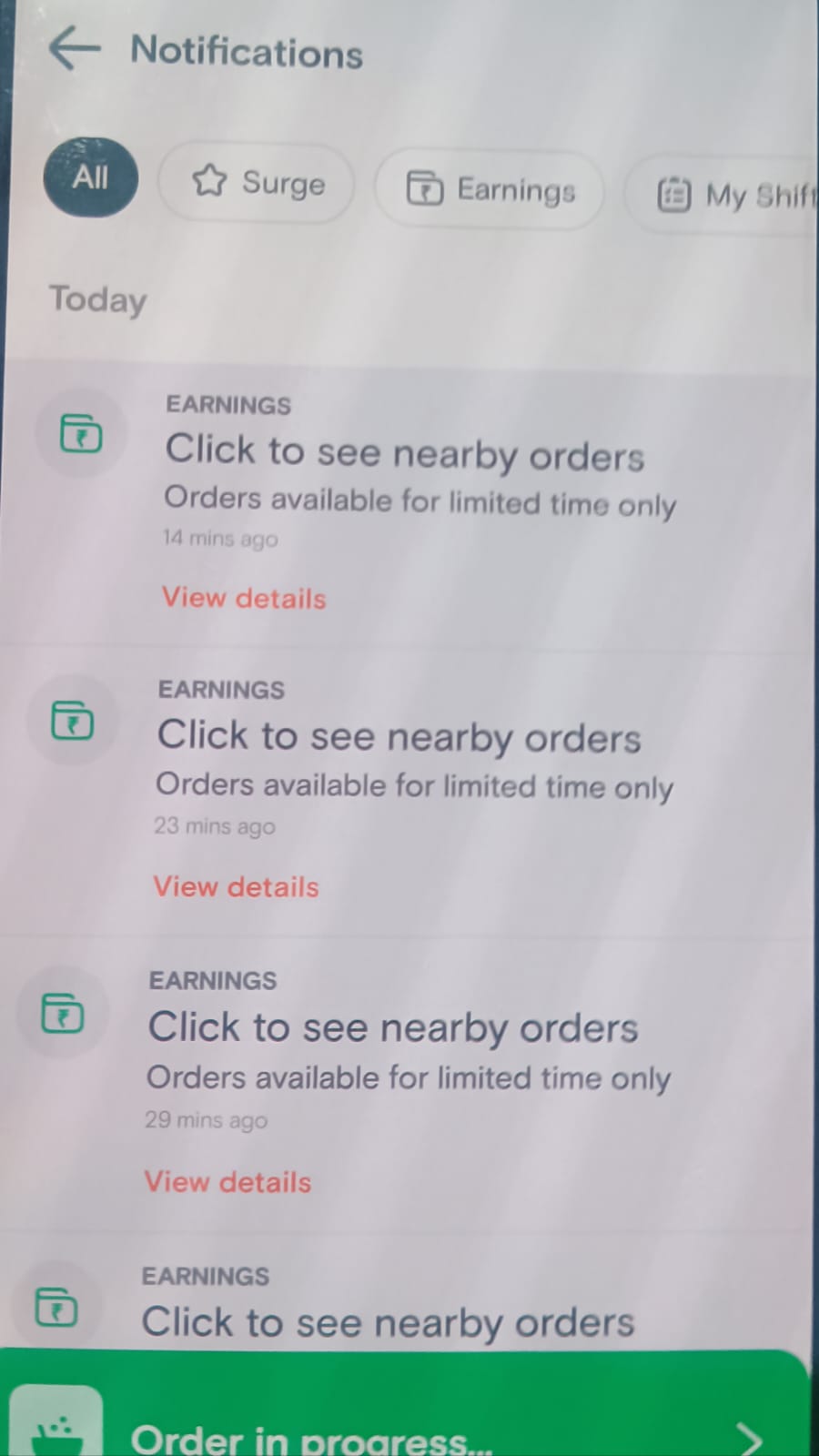
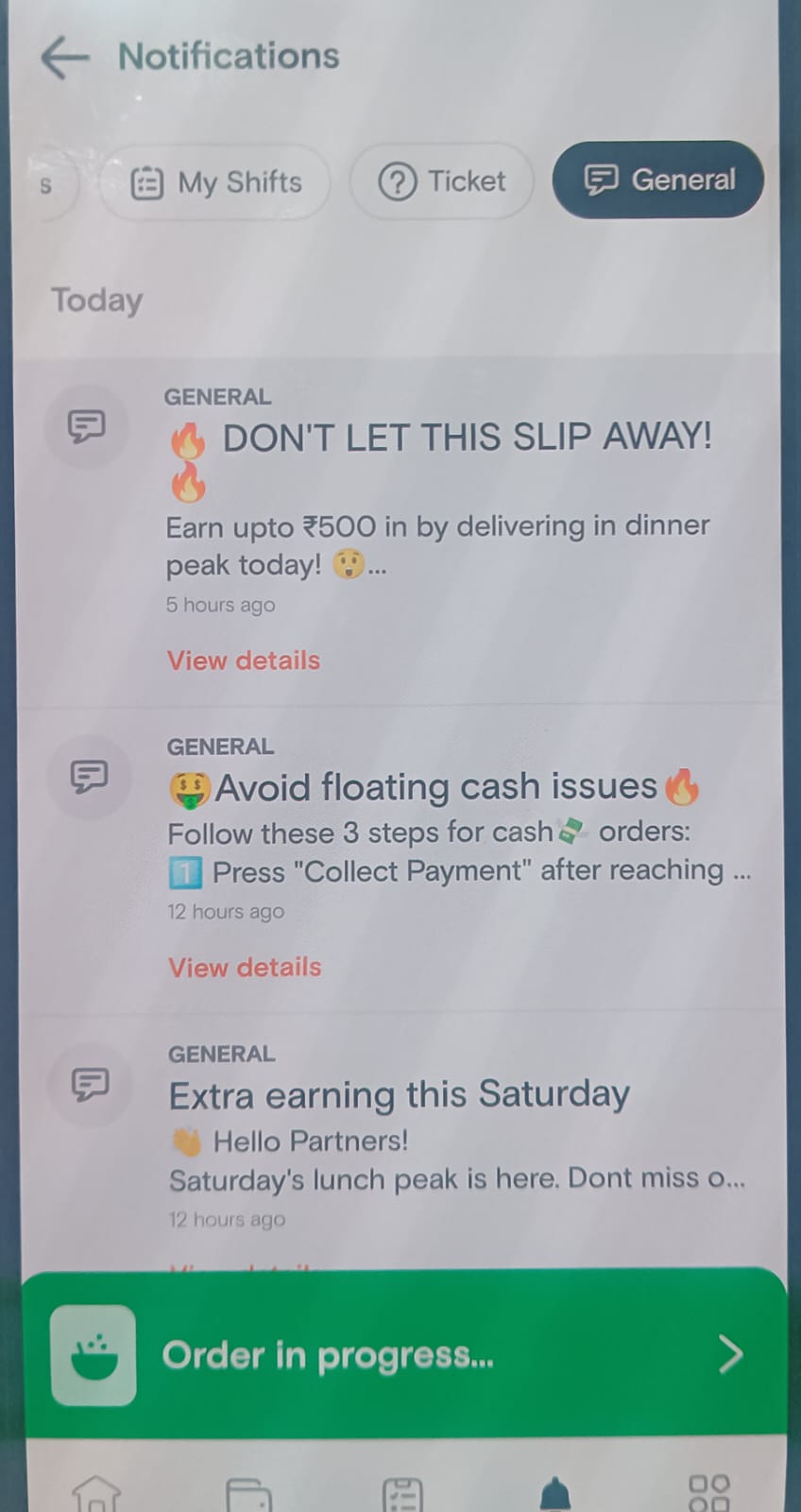
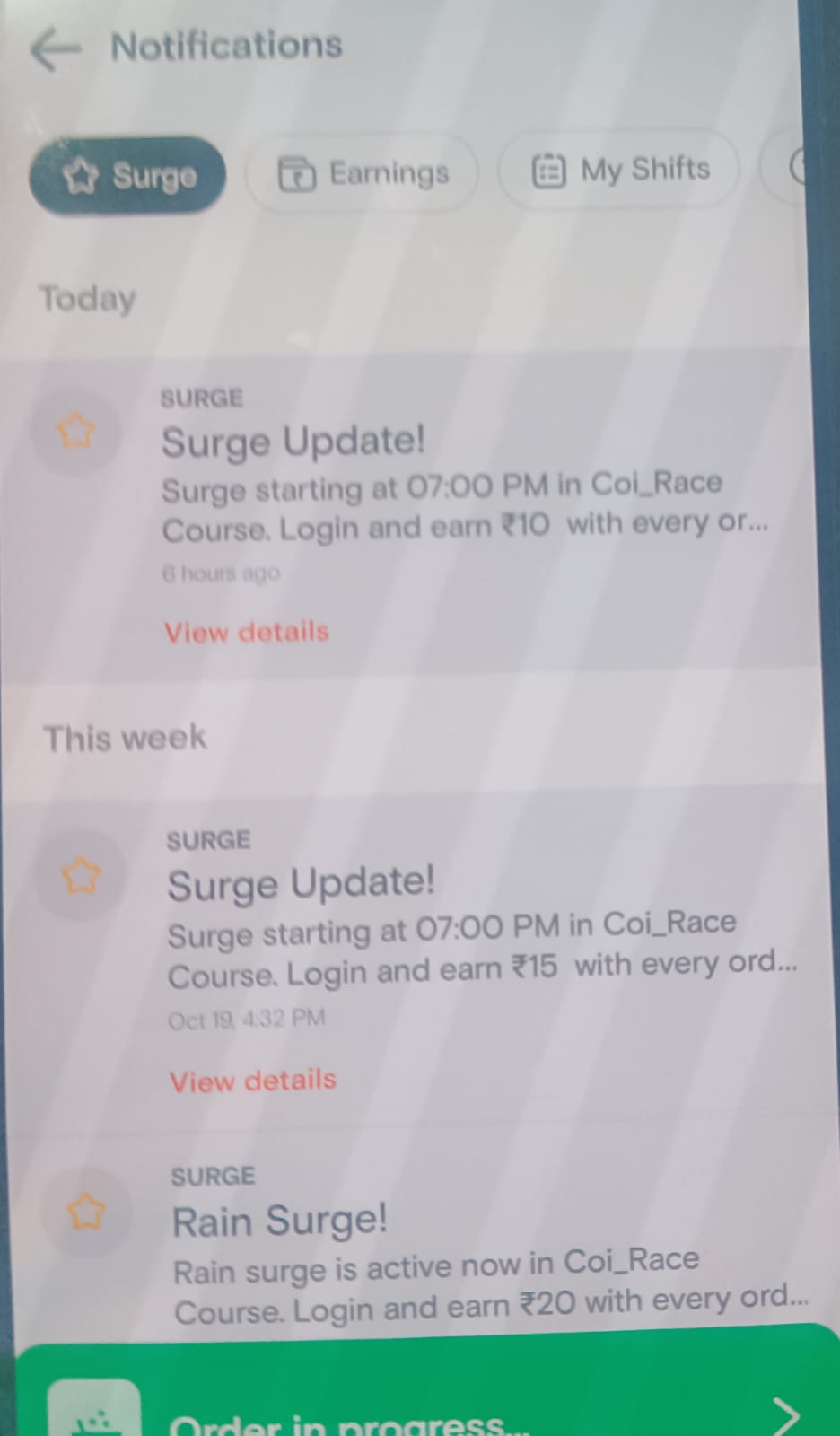
In Swiggy's delivery partner app, the term "surge" refers to a dynamic pricing model that can impact a delivery partner's earnings and incentives.
1. Surge Targets to Incentives:
- Swiggy may implement surge pricing during peak demand hours or in areas with high order volumes. When surge pricing is active, the base delivery fee and other earnings may increase. Swiggy often sets specific surge targets that delivery partners can aim to achieve during these times. Meeting these targets can result in additional incentives, such as higher per-order earnings, bonuses, or rewards.
2. Notifications:
- Delivery partners receive notifications in the app regarding the current surge conditions. These notifications inform them about the areas or time periods where surge pricing is in effect. They may also provide information about surge targets and any special incentives being offered.
3. Earnings:
- Surge pricing can impact a delivery partner's earnings significantly. When surge is active, the delivery fee, incentives, and overall earnings for each delivery can be higher than during non-surge times. This encourages delivery partners to prioritize orders in surge areas to maximize their income.
4. Shifts Taken:
- In the Swiggy app, delivery partners can choose to work in shifts, which are specific time periods during which they make deliveries. During surge times, delivery partners may have the option to select shifts that align with the surge pricing periods. This allows them to take advantage of higher earnings opportunities.
5. Money Earned:
- The money earned by a delivery partner during their shifts is the total amount they accumulate from completing deliveries. This includes the base delivery fee, any additional surge earnings, tips, and incentives. The app typically provides a real-time update of the money earned during each shift.
It's important for delivery partners to keep an eye on surge notifications and targets, as these factors can significantly affect their earnings. By strategically choosing shifts and focusing on surge areas, delivery partners can optimize their income during high-demand times.
It's worth noting that surge pricing is a temporary and market-driven feature. Swiggy implements it to balance supply and demand and provide incentives for delivery partners to work during busy periods. However, surge pricing can vary by location, time, and market conditions, so it's essential for delivery partners to stay informed about the surge status in their specific area.
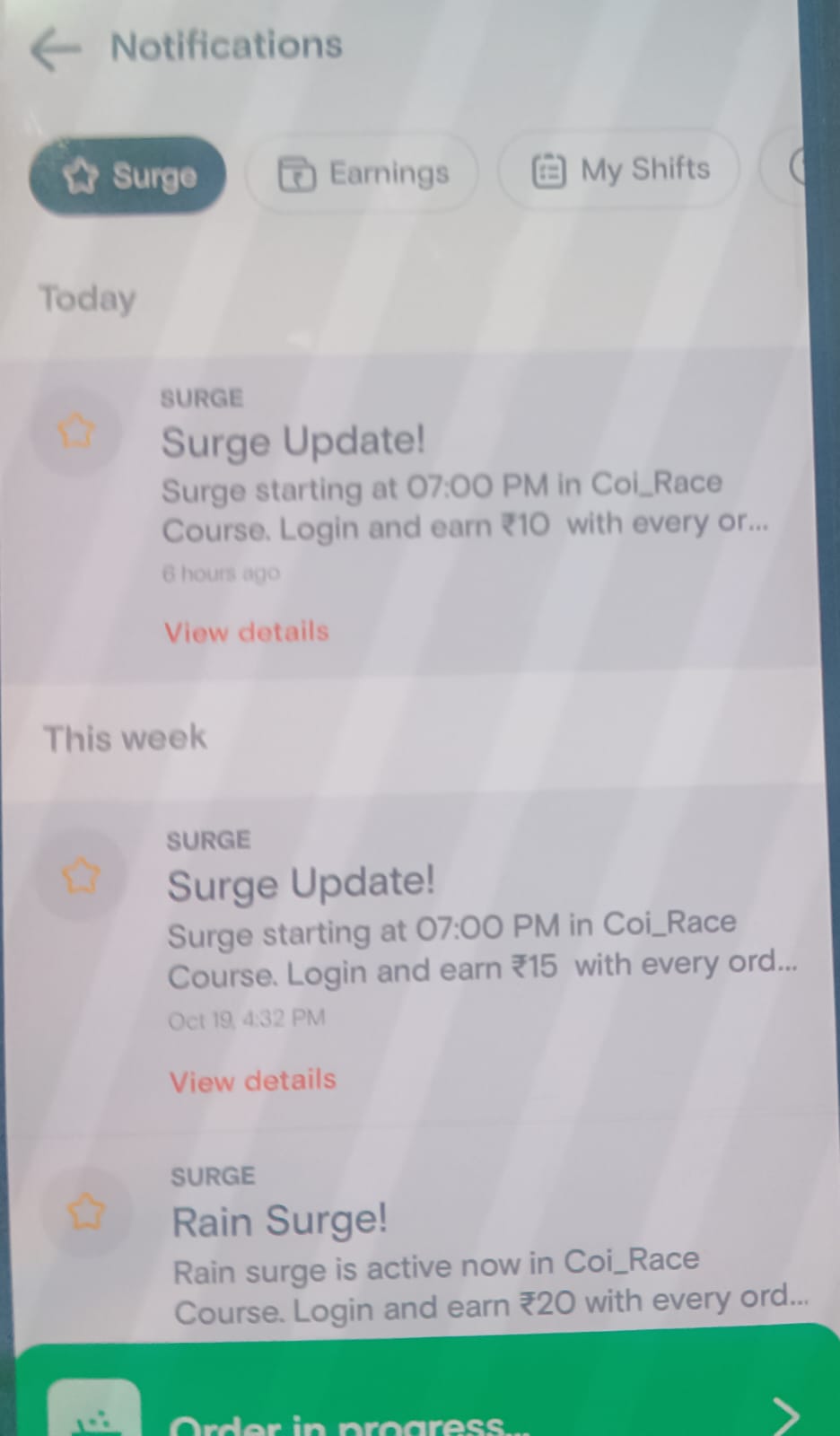
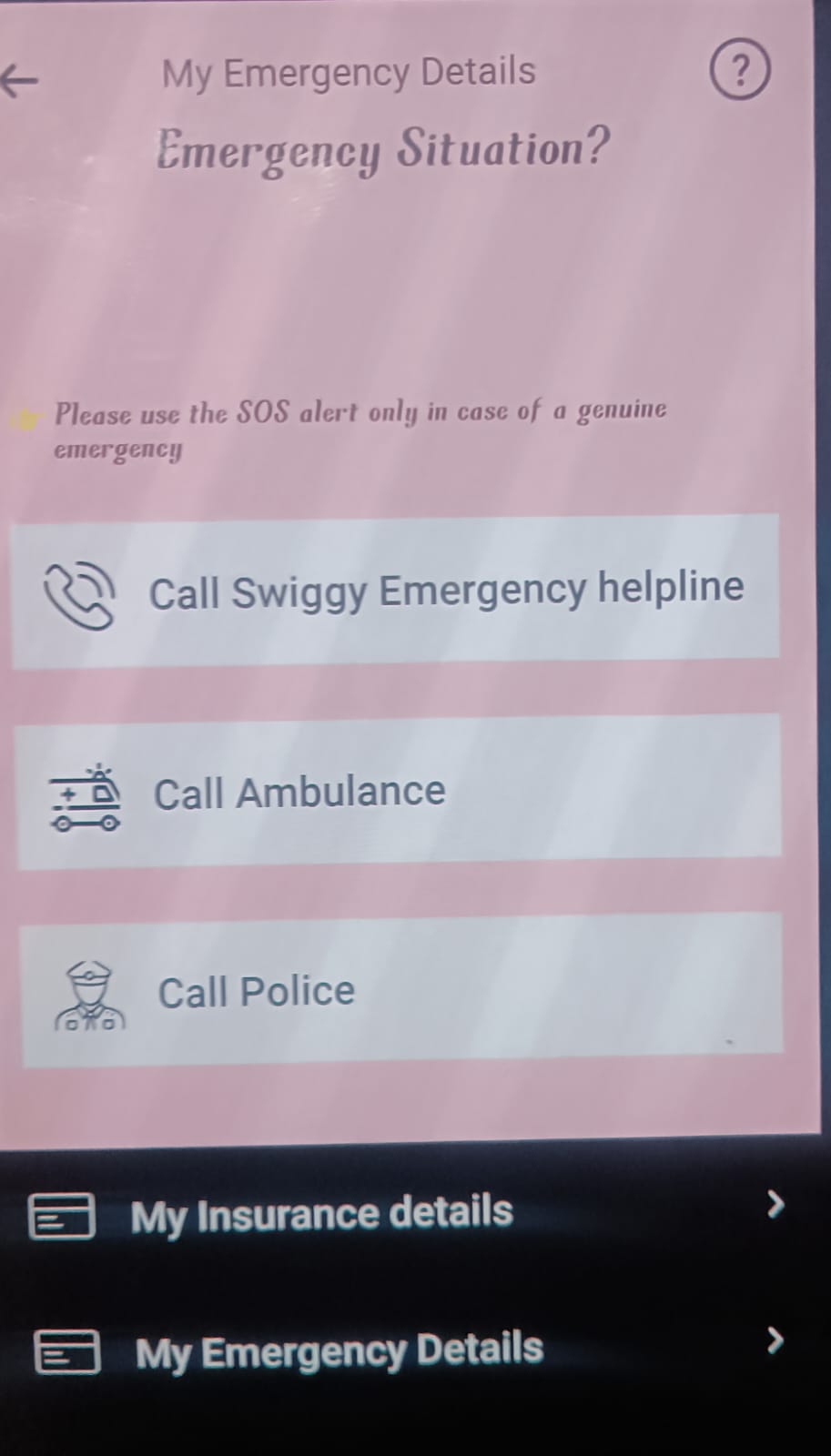
In the Swiggy Riders app, the "Emergency" option is a critical feature designed to ensure the safety and well-being of delivery partners (riders) during their deliveries. It provides quick access to essential emergency services and support.
Call Swiggy Emergency Helpline:
This option allows the delivery partner to call Swiggy's dedicated emergency helpline. Swiggy's emergency helpline is a 24/7 support service specifically established to address any urgent issues, concerns, or emergencies that a delivery partner may encounter while on duty. These issues can range from safety concerns to order-related problems.
Call Ambulance:
In the event of a medical emergency or an accident, delivery partners can use this option to quickly call for an ambulance. Swiggy recognizes the importance of prompt medical assistance in case of injuries or health emergencies. This feature ensures that the necessary help is summoned immediately.
Call Police:
If a delivery partner faces a situation that requires police intervention, such as a safety threat, harassment, or a criminal incident, they can use this option to contact the local law enforcement authorities. It provides a direct and expedited way to reach the police.
These emergency options are invaluable for ensuring the safety and well-being of Swiggy delivery partners. They empower riders to respond swiftly to various emergency situations and receive the appropriate support they need. Swiggy takes the safety of its delivery partners seriously and has implemented these features as part of its commitment to providing a secure work environment. It's important for delivery partners to be aware of and use these emergency options when necessary to ensure their own safety and the safety of others.
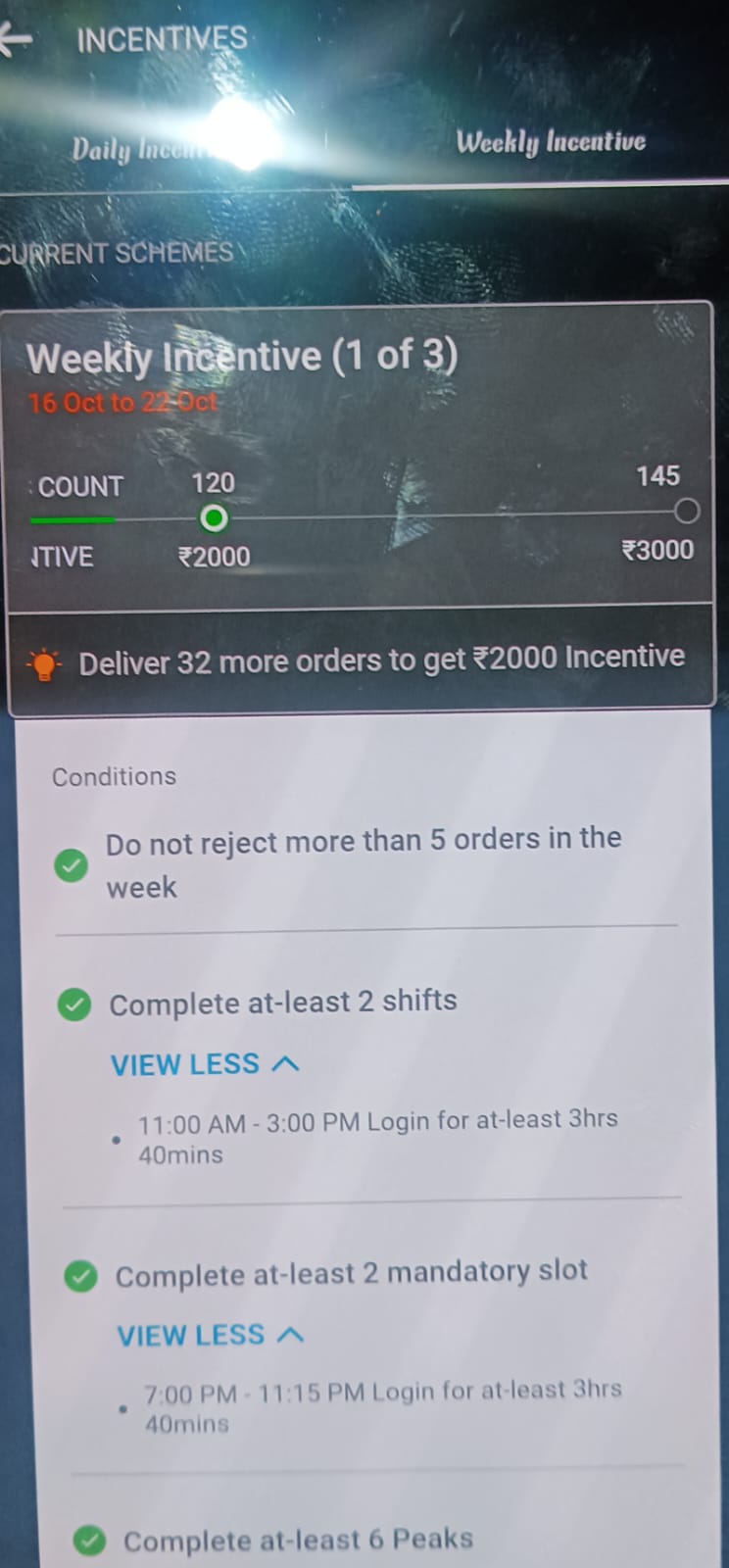
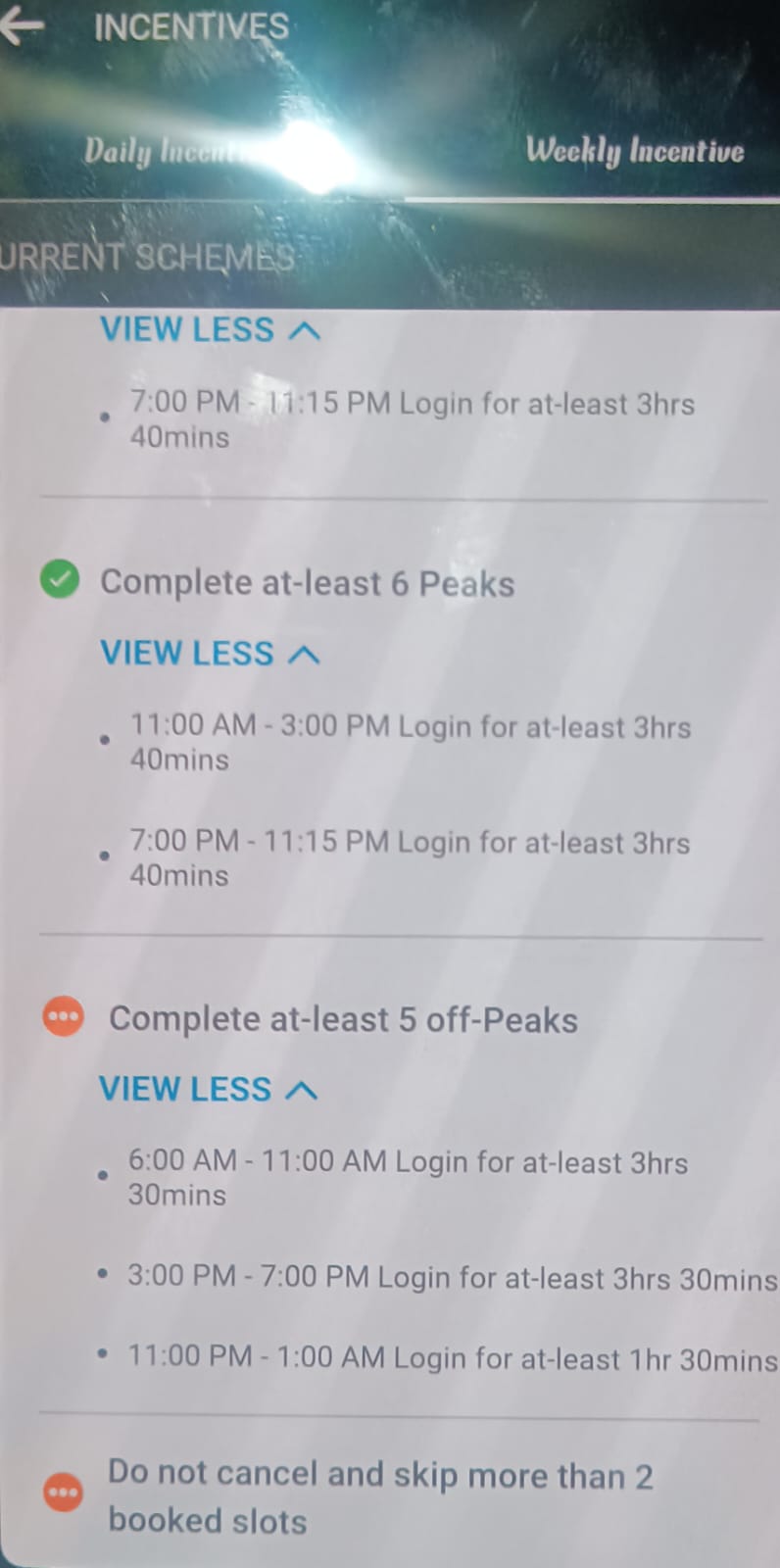
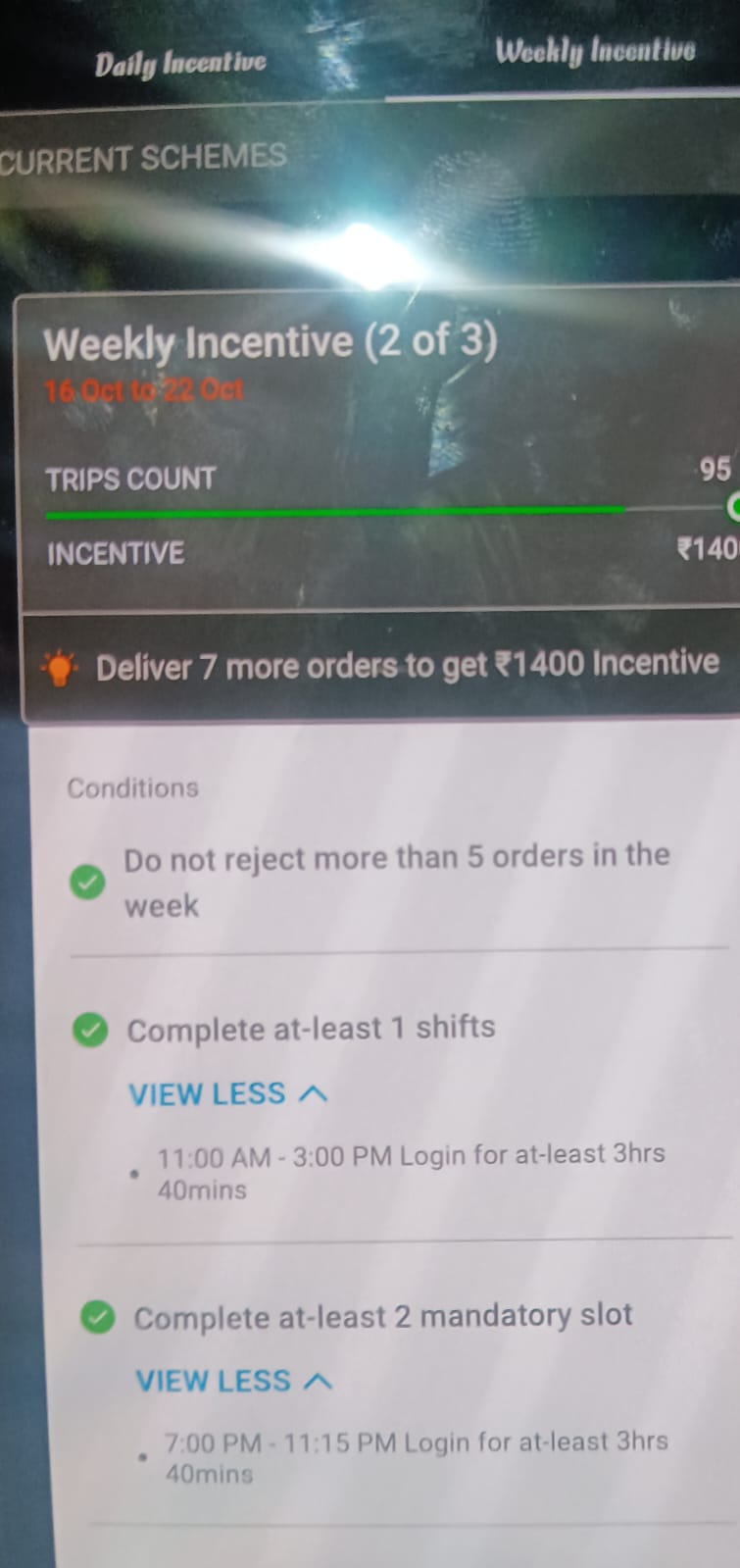
Swiggy platform for delivery partners, there are incentives like "Daily Incentive" and "Weekly Incentive" programs. These incentives are designed to encourage and reward delivery partners for their performance and commitment.
Daily Incentive:
Daily incentives are rewards offered to delivery partners for achieving specific targets or milestones in a single day. These targets often include metrics such as the number of orders delivered, on-time deliveries, and customer ratings. The exact requirements and rewards can vary based on the city, location, and current demand.
Example: A daily incentive may require a delivery partner to complete a certain number of orders within a day while maintaining a high on-time delivery rate and customer satisfaction. If they meet or exceed these targets, they may receive additional earnings as a bonus.
Weekly Incentive:
Weekly incentives are similar to daily incentives but are based on performance over a week's duration. These incentives are usually more comprehensive and encompass a broader set of performance metrics. Just like daily incentives, the specific targets and rewards for weekly incentives can differ depending on the market and location.
Example: A weekly incentive program may require delivery partners to maintain a high delivery completion rate, consistently achieve on-time deliveries, and receive positive customer ratings over the course of a week. Meeting or surpassing these criteria can lead to additional earnings or bonuses at the end of the week.
Both daily and weekly incentives serve several purposes:
Motivation: They motivate delivery partners to maintain high standards of service, which ultimately benefits customers and the platform.
Performance Improvement: These incentives encourage delivery partners to improve their performance, including order completion rates, delivery times, and customer satisfaction.
Earnings Boost: By achieving these targets, delivery partners can earn more than their base delivery fees, increasing their overall income.
Customer Satisfaction: Ensuring that orders are delivered on time and with high-quality service enhances the overall customer experience.
Tech Stack
React: Swiggy's customer-facing web and mobile applications likely used the React library for building user interfaces.
Back-End Technologies:
Node.js: Node.js is known for its efficiency and scalability, making it a suitable choice for handling the server-side logic of a high-traffic platform like Swiggy.
Express.js: Express is a minimal and flexible Node.js web application framework that can help in building robust APIs and handling HTTP requests.
Databases:
MongoDB: Swiggy might use MongoDB, a NoSQL database, for handling a variety of data, including user profiles, restaurants, menus, and orders. MongoDB's flexibility and scalability make it a good choice for handling large volumes of data.
Caching:
Redis: Redis is an in-memory data store often used for caching frequently accessed data and improving the performance of real-time applications like Swiggy.
Message Brokers:
RabbitMQ: Message brokers like RabbitMQ are used for handling asynchronous operations, such as order processing and notifications. These systems ensure that data is transmitted reliably between different components of the platform.
Load Balancers:
NGINX: NGINX is commonly used as a reverse proxy and load balancer to distribute incoming traffic across multiple servers. This helps in ensuring high availability and scalability.
Containerization and Orchestration:
Docker and Kubernetes: Swiggy may use Docker containers for packaging applications and dependencies, and Kubernetes for container orchestration to manage and scale these containers efficiently.
Cloud Infrastructure:
AWS (Amazon Web Services): AWS could be the cloud provider used for hosting various components of Swiggy's platform, including server instances, databases, and storage.
Security:
Swiggy would employ various security measures, including SSL certificates for data encryption, firewalls, and regular security audits to protect user data and the platform.
Analytics and Monitoring:
Elasticsearch, Logstash, Kibana (ELK Stack): The ELK stack could be used for log analysis and monitoring of the platform's performance.
New Relic or Datadog: Tools like New Relic or Datadog are often used for real-time application performance monitoring and diagnostics.
Payment Gateway Integration:
Swiggy would integrate with various payment gateways and financial systems to facilitate secure online transactions. These may include popular payment providers in India.
Mobile App Development:
Swift (iOS) and Java/Kotlin (Android): These are the programming languages commonly used for developing native mobile apps for iOS and Android platforms.
Machine Learning and Data Analysis: